Object by Object
The whole Batatais town is generated by scripts. Its general-purpose generators make benches, lamps and fountains with sensible proportions, drawn from memory. Some objects deserve more care. This page follows them one at a time: each is rebuilt with a specialised third-party plugin from its own photos, and shown before and after.
The objects
Every object goes through the same steps: gather the evidence, build a construct from it, check it against the photos, and carry the numbers back into the project's own generator. The tool never goes into the project.
Storefronts go through the same steps on a page of their own: Storefront by Storefront.
- The coreto · Praça Cônego Joaquim Alves · 2 photos + OSM · done 4 November 2026
- The lamp posts · 1 photo · done 4 November 2026
- The round fountain · 1 photo + OSM · done 4 November 2026
- The fonte luminosa · 1 photo + OSM + aerial · done 4 November 2026
- The benches · 2 photos · done 4 November 2026
- The twin-lantern lamp · Street View · done 4 November 2026
- The topiaries · Street View + 1 photo · done 4 November 2026
1 · The coreto
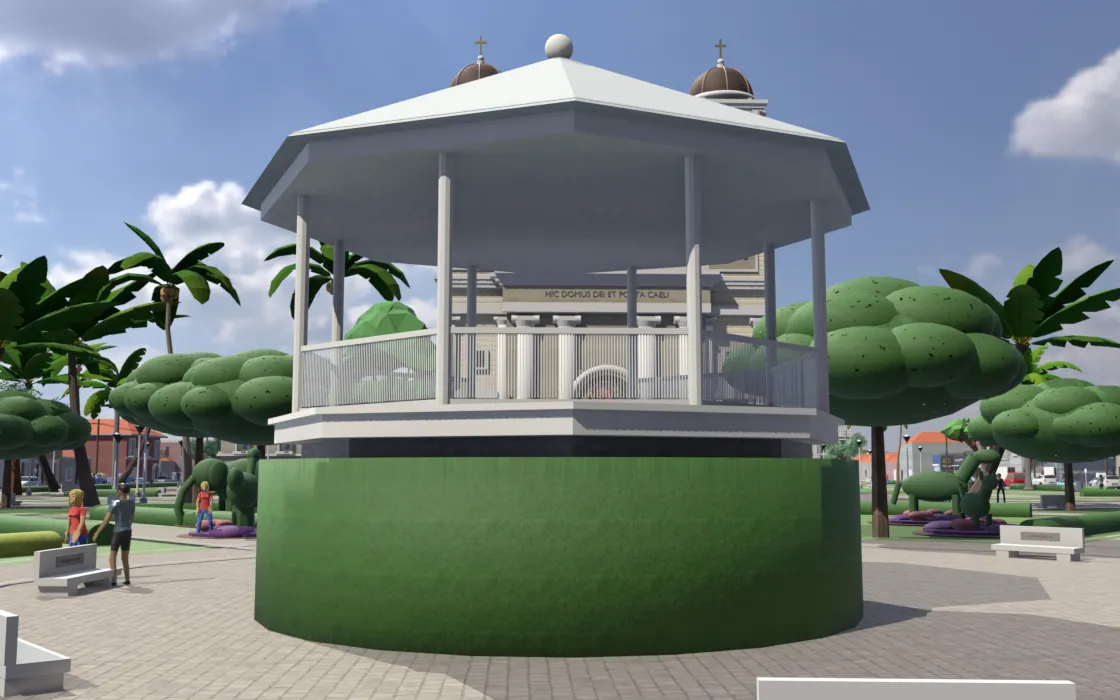
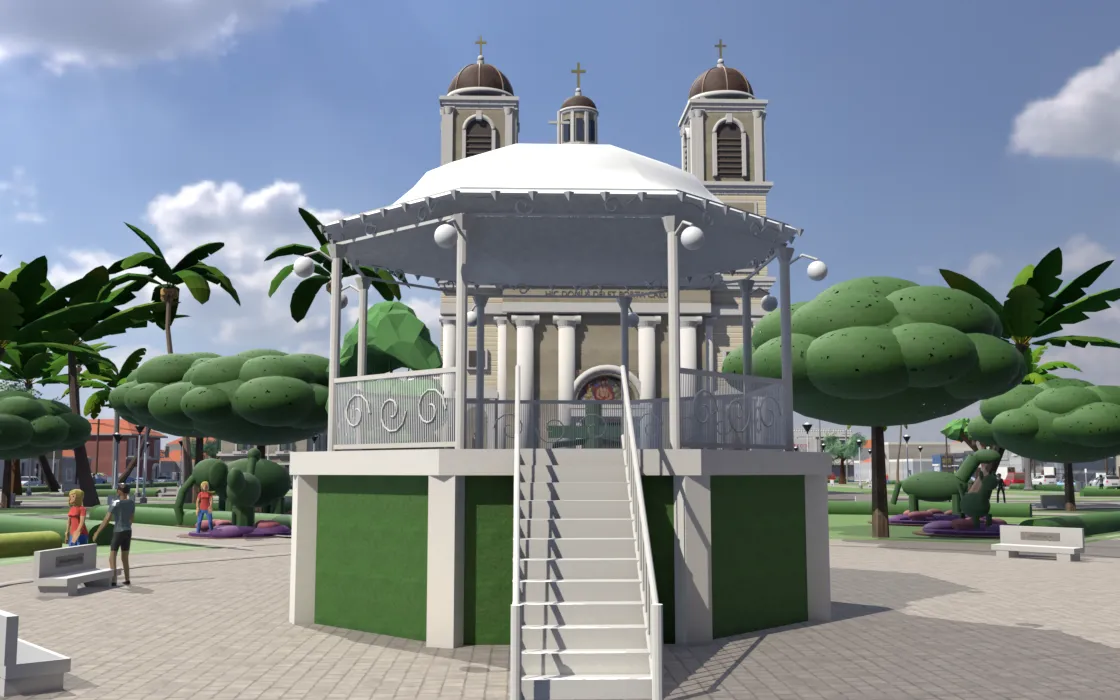
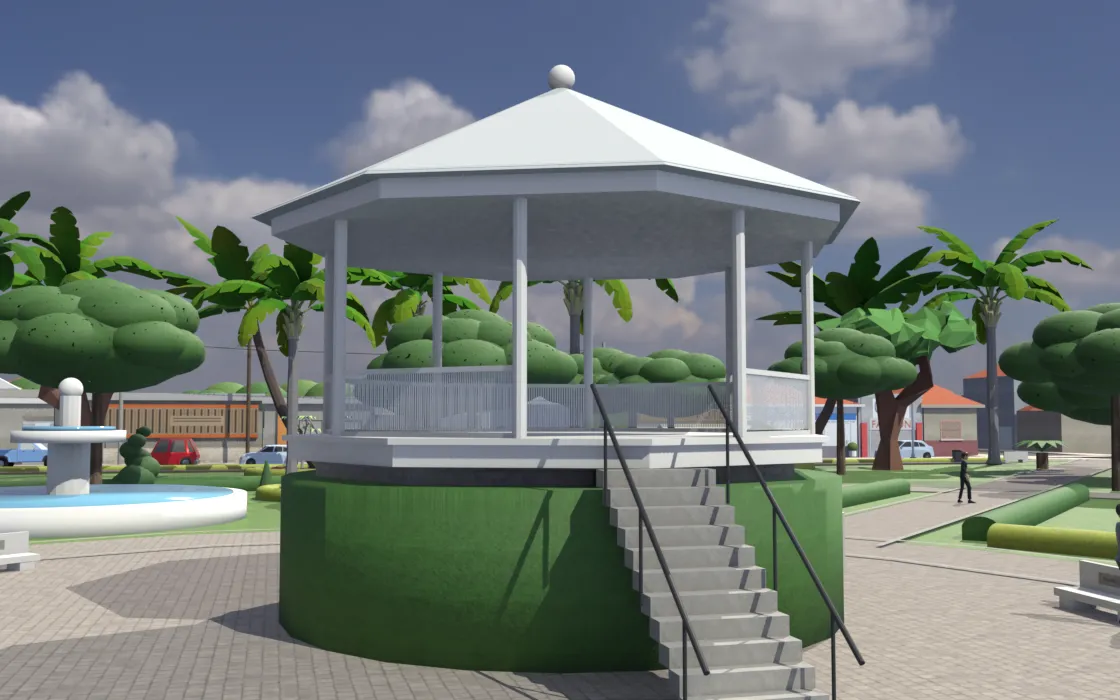
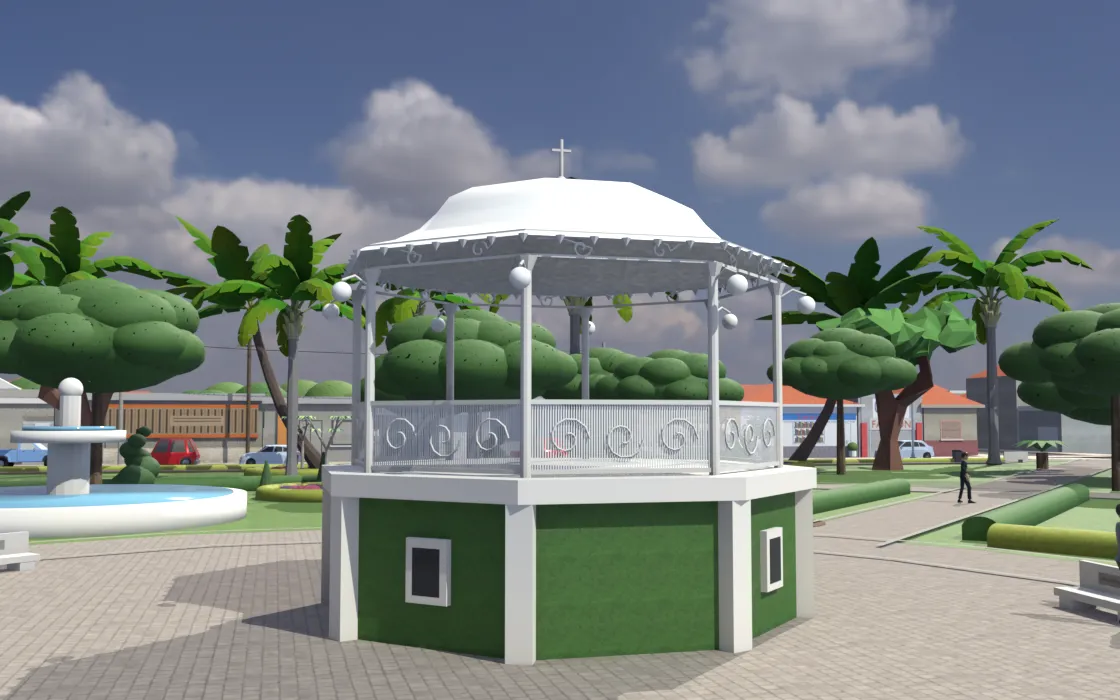
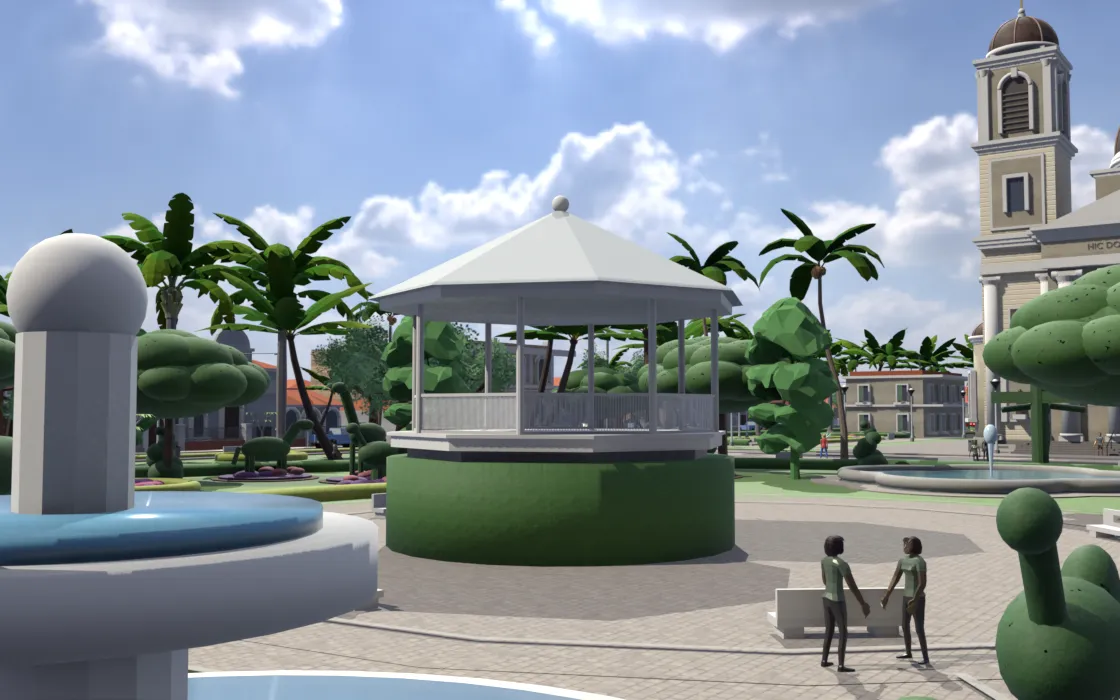
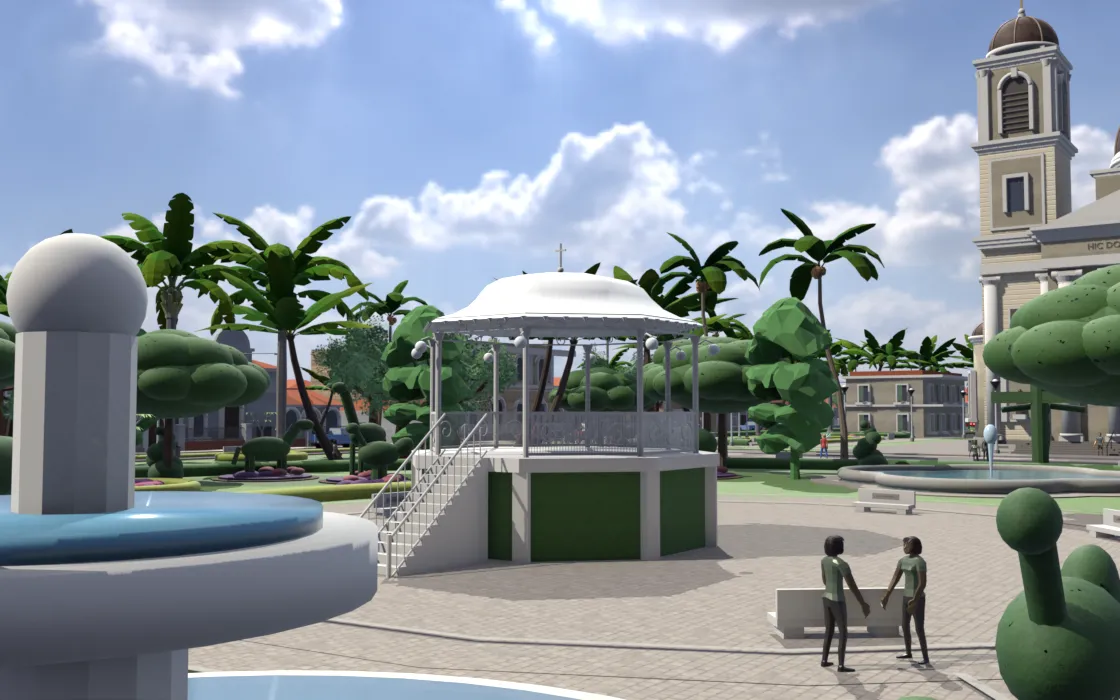
The bandstand in the Praça Cônego Joaquim Alves is the most visible object in the garden. The original had a pyramid roof, a base wrapped in a hedge and its stair facing the church. None of that was in the photos.
Before and after
The same cameras, the same scene and the same render settings (EEVEE). Only the coreto's generator changed.
Evidence
The first attempt had only distant photos, where the coreto was small and half hidden; it came out as an honest guess, labelled as one. Then Daniel picked two better photos, and everything changed:
- OpenStreetMap outline (way 554096884): 7.3 m across, the one verified fact, which sets the scale.
- Alesp photo, 2010 (see the photo, CC BY 4.0): nearly an elevation, one face square to the camera. Measured at about 75.5 px per metre: floor at 2.45 m, columns to 5.3 m, eave at 5.65 m, dome at 6.9 m.
- Batatais 24h aerial (see the photo): today's white paint, the cross finial, the stair and its railings.
- Someone who knows the place. The stair can't face the church: people climb the coreto for an unobstructed view of the facade. The aerial photo agrees.

Neither photo is shown here or used as a texture; they were only looked at and measured.
What changed in the generator
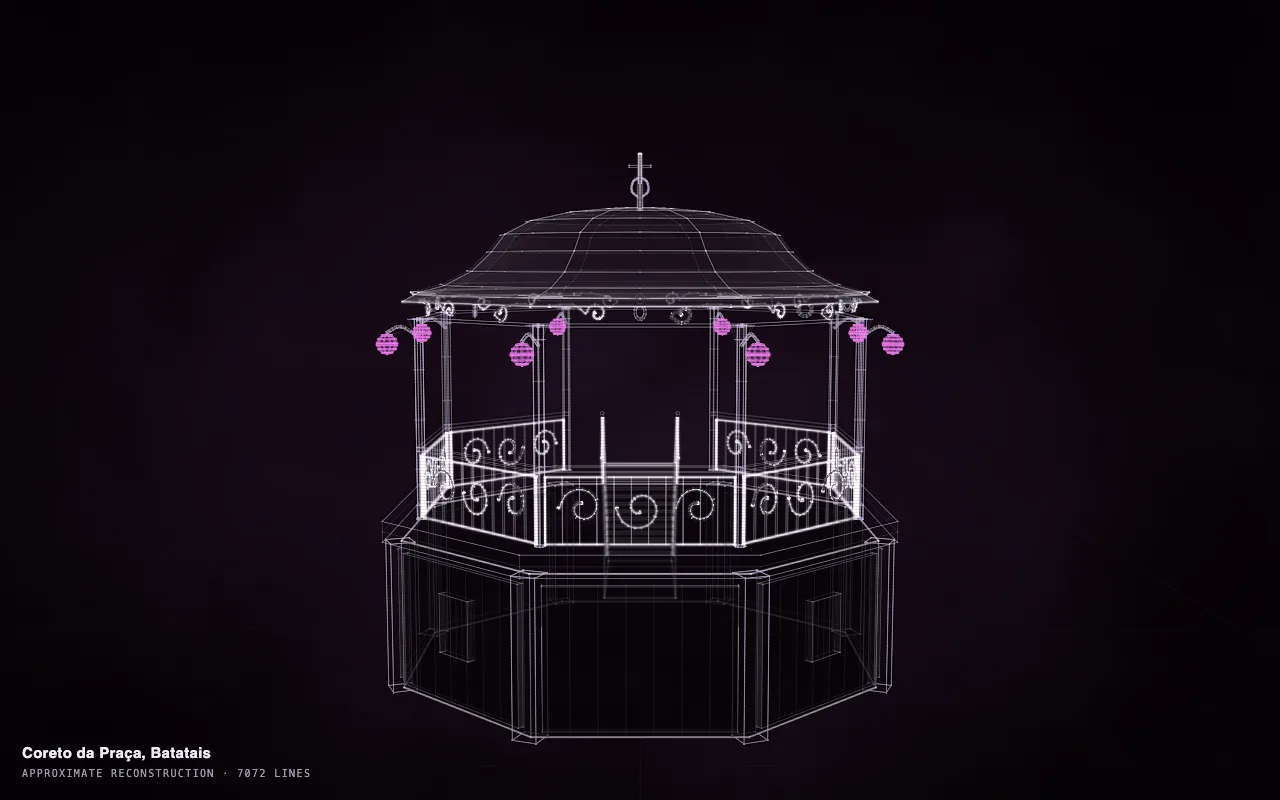
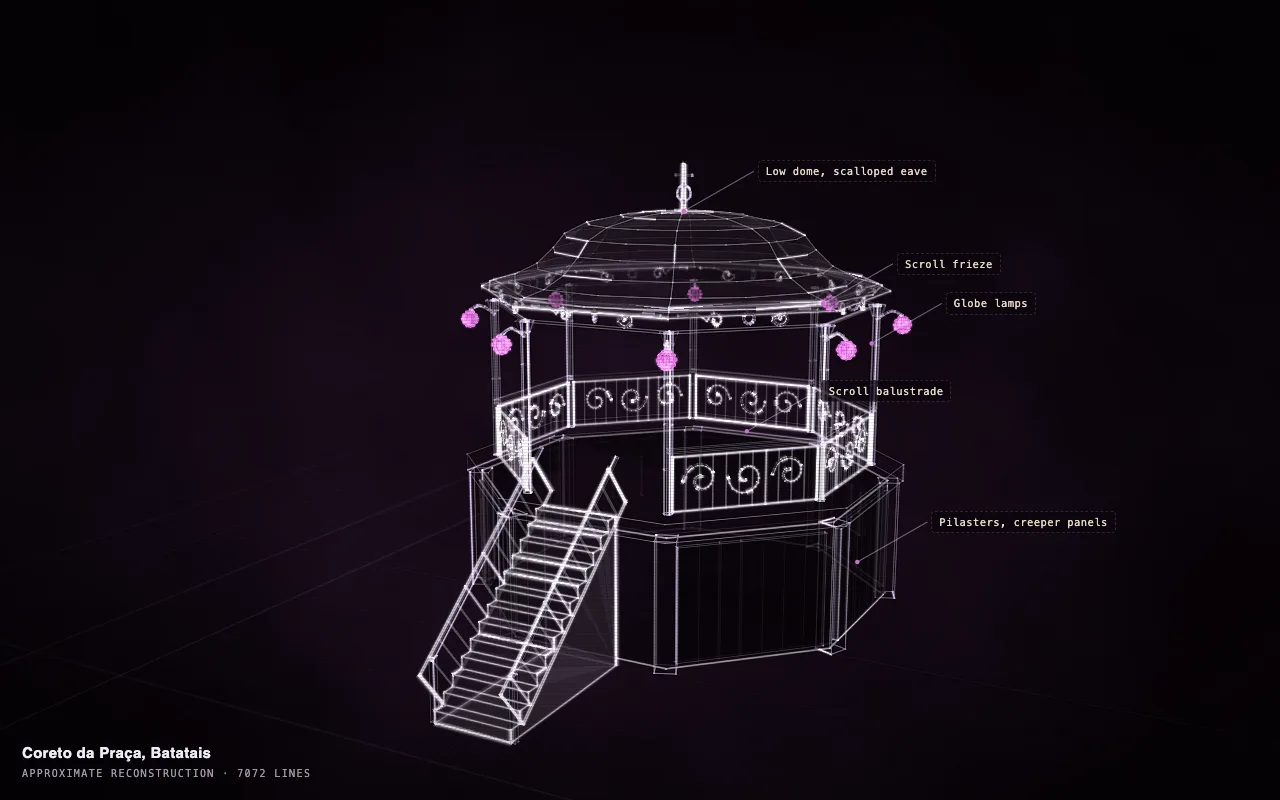
The numbers the construct settled went back into the project's own generator: an octagonal base of pilasters and creeper panels with two grille windows, a floor slab at 2.45 m, a cast-iron scroll balustrade between eight columns, a globe lamp at every column, a scroll frieze, a scalloped eave and a low bell-cast dome with a cross. The stair descends east, away from the church.
Still open: the scroll patterns are drawn by eye, and the floor height was not measured on site.
2 · The lamp posts
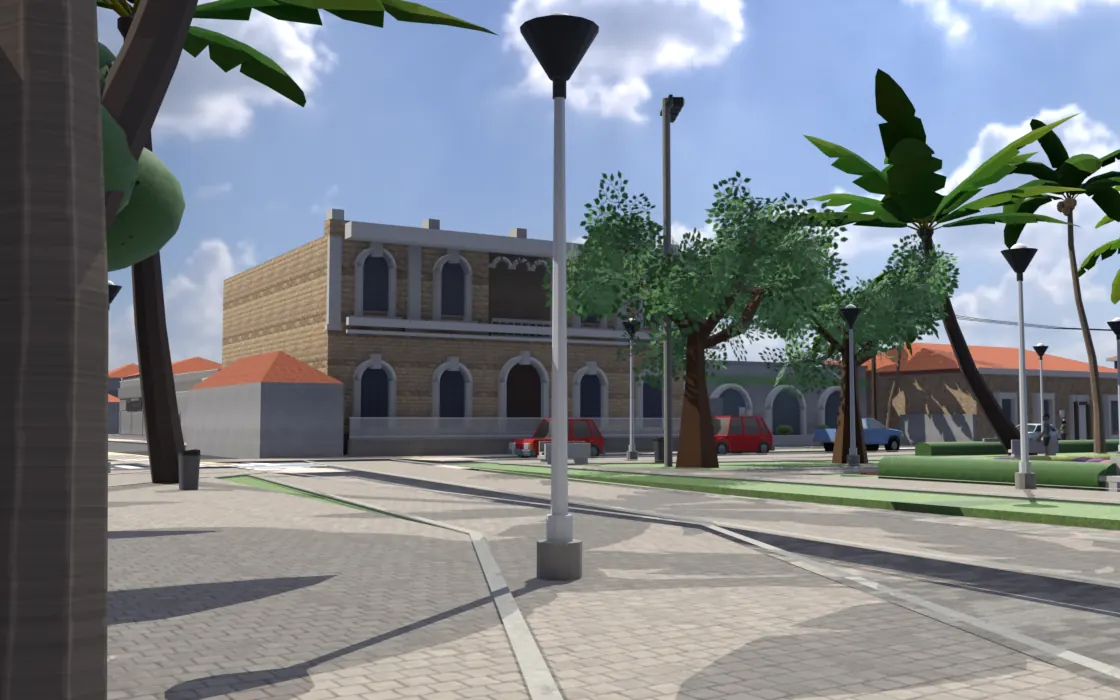
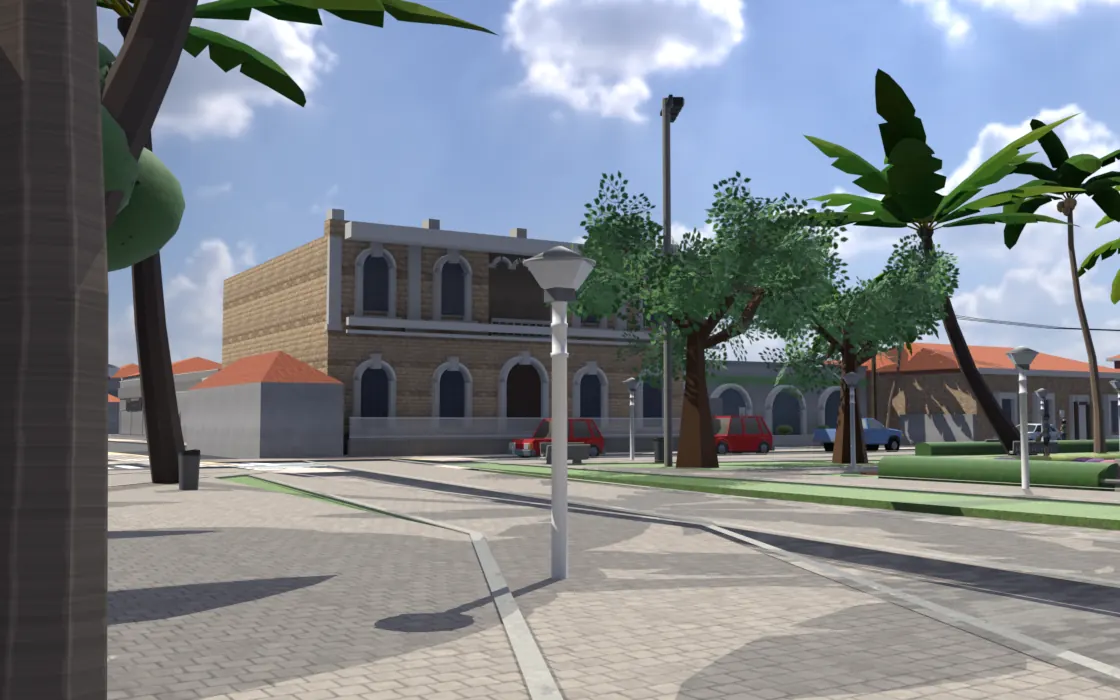
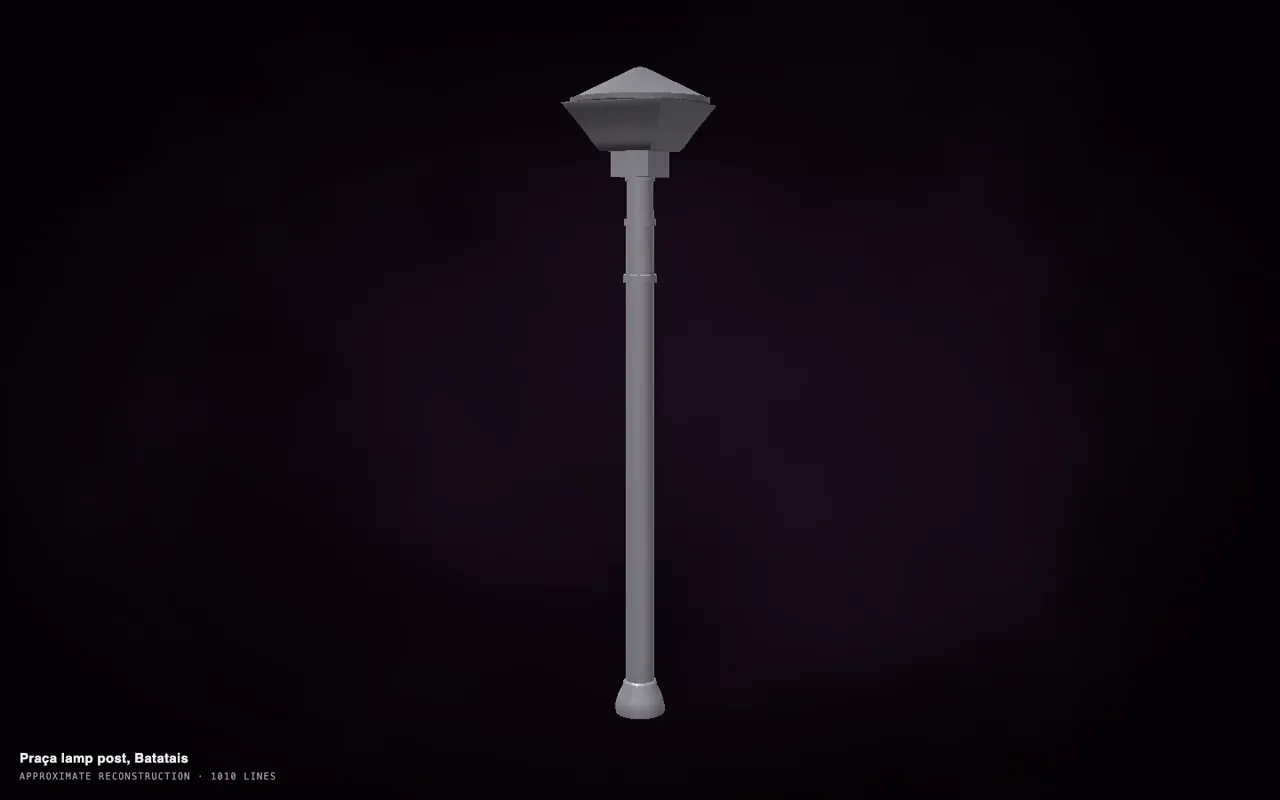
The garden is lit by dozens of identical lamp posts, so one fix shows in every close view of the praça. The old generator made a 4.6 m silver pole with a black bell and a globe. The real lamp is lower and quite different: a white post on a bell foot, two collars, a dark block, a frosted lantern shaped like an upside-down pyramid and a shallow round cap.
Before and after
Evidence
One photo Daniel supplied, nearly side-on. Its scale comes from an assumed 0.16 m post, so every height is inferred.
Still open: Street View shows a second design near the church, with two lanterns on a scrolled crossbar. It isn't modelled yet.
3 · The round fountain
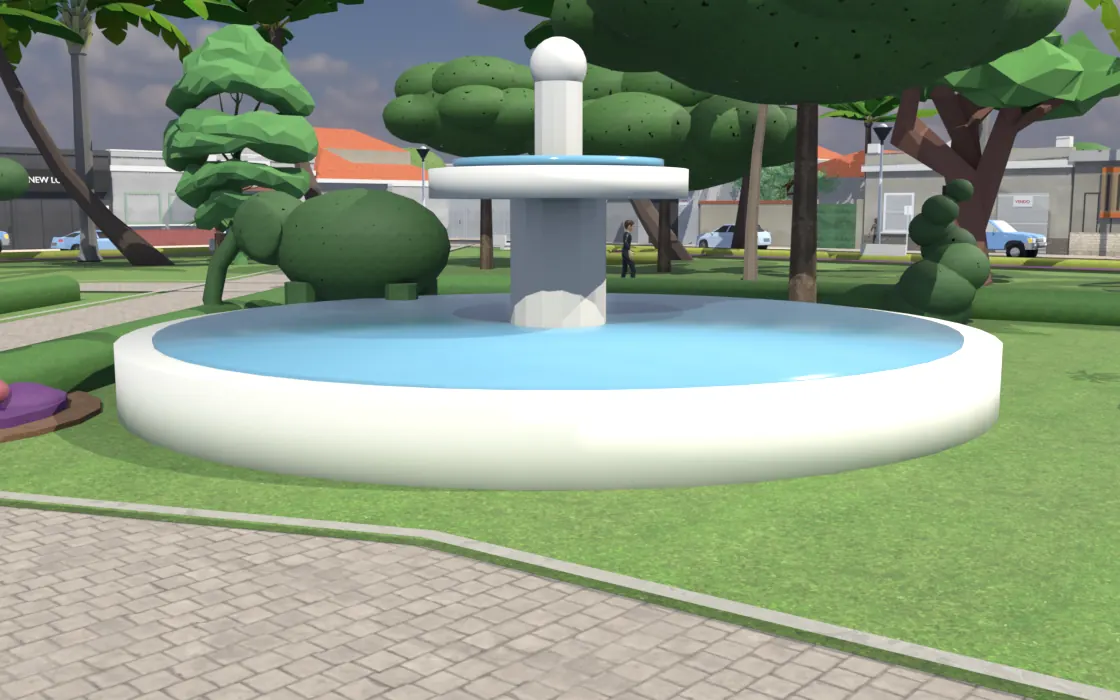
At the garden's far end, under the trees, stands a round basin 10.1 m across (OSM way 554097242). The generator had invented a two-tier fountain. The real one is a low basin with a rolled lip, a small island and a fountain head shaped like a tulip of pointed petals, with a slender pole rising from it into the canopy.
Before and after
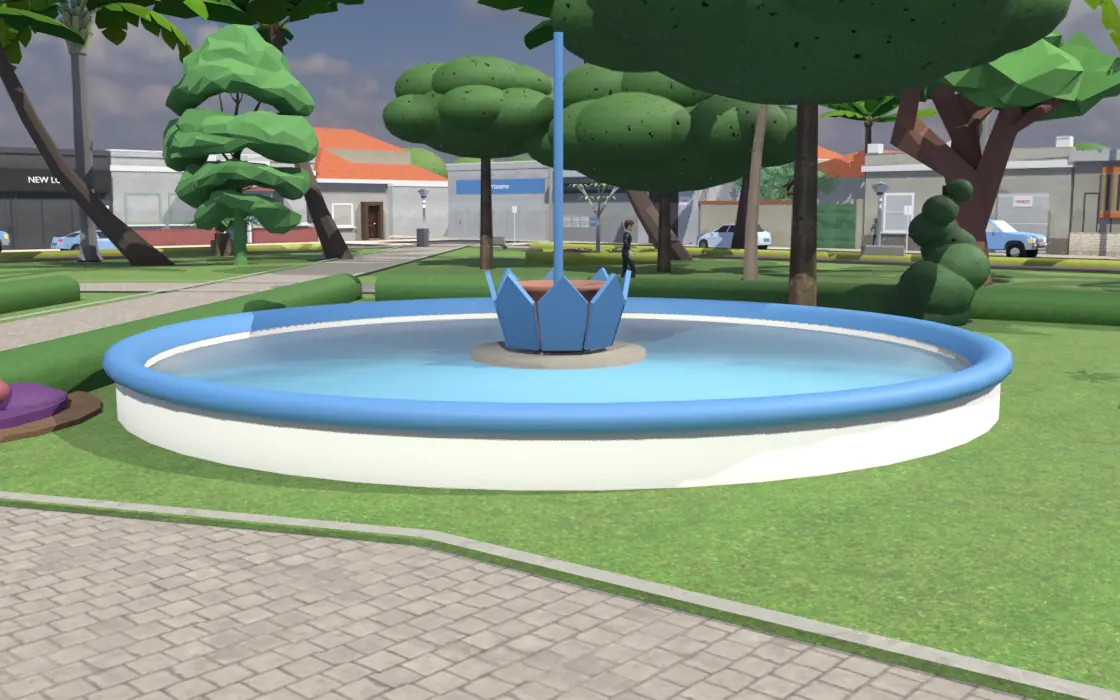
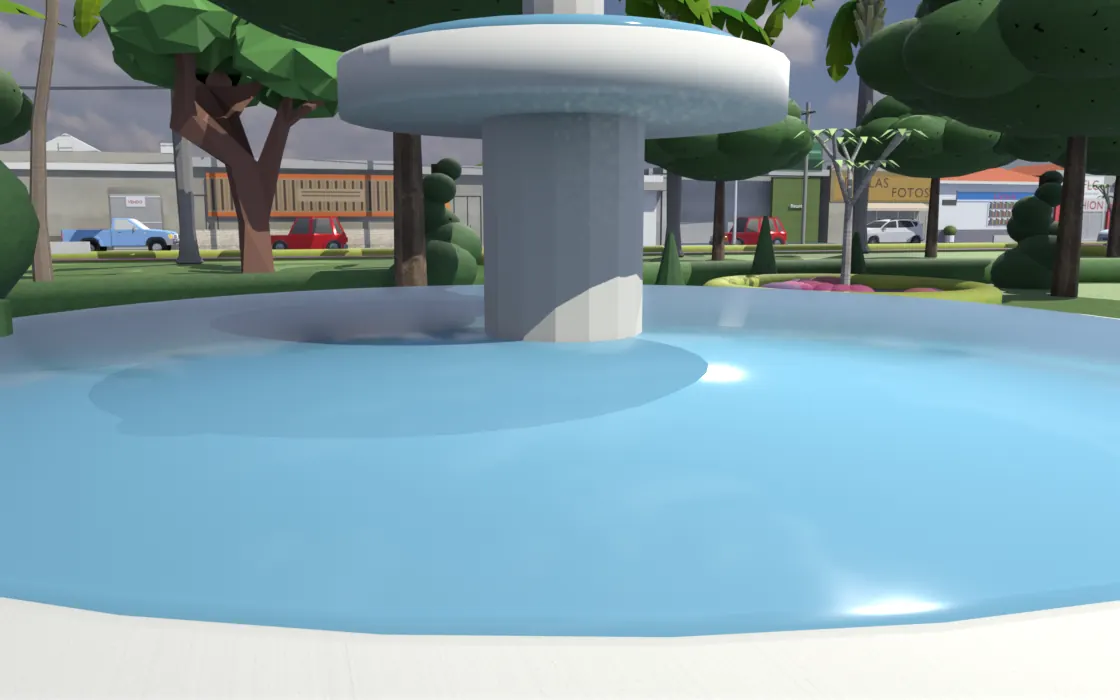
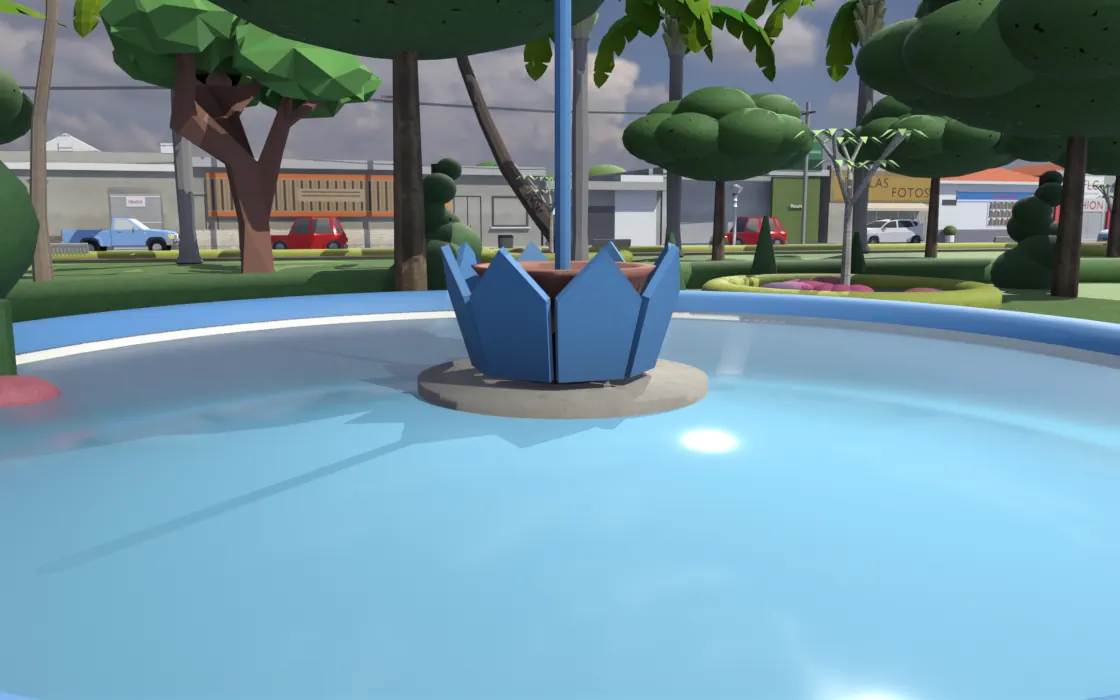
Evidence
The OSM outline for the size, and a night photo Daniel supplied under coloured lights. The colours are inferred from it.
Still open: a daylight photo for the colours, and where the pole ends above the trees.
4 · The fonte luminosa
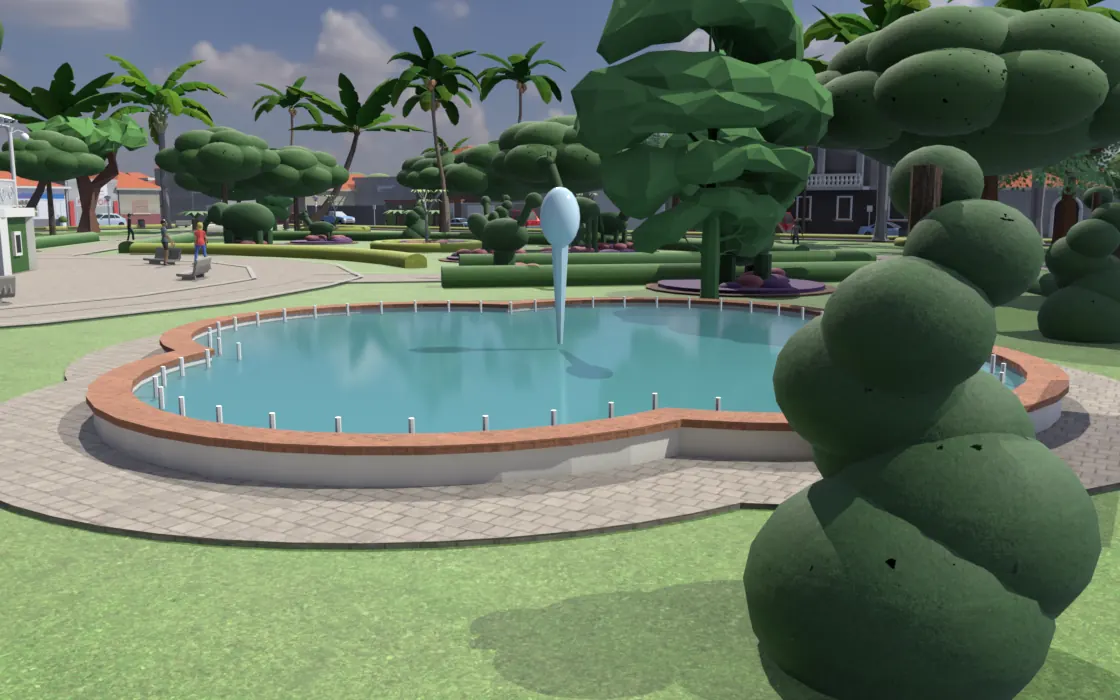
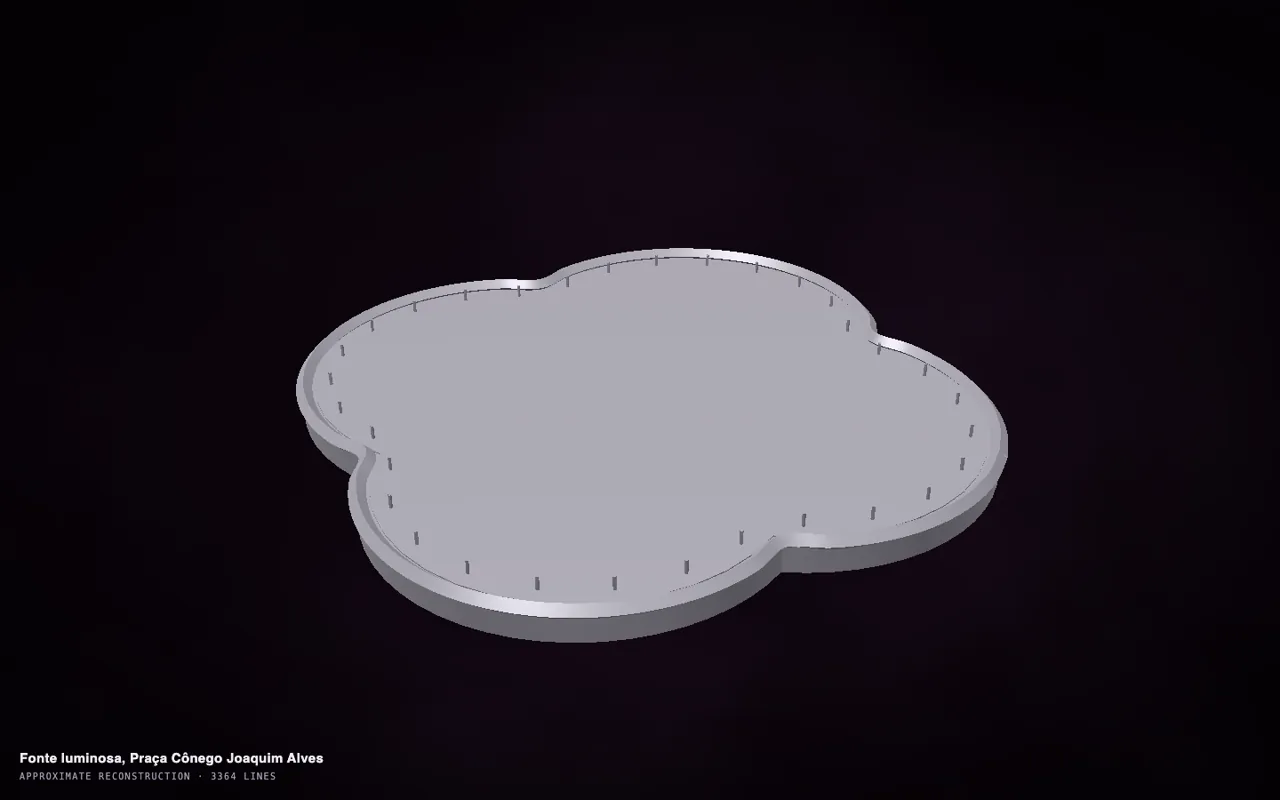
Between the church and the coreto lies a quatrefoil pond 13.1 m across (OSM way 554095842). Its plan was already right. What changed is the rim: a flat red-brick coping instead of a rolled concrete one, and a ring of small upright nozzle pipes standing in the water along the inner wall.
Before and after
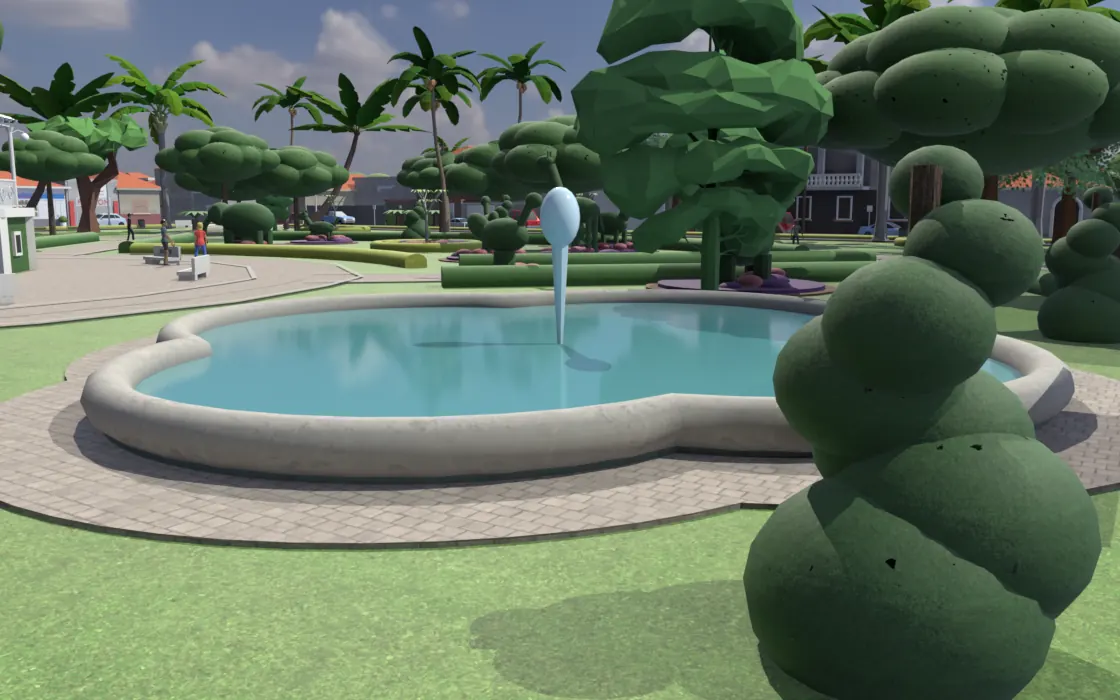
Evidence
An older photo of one lobe that Daniel supplied, and the aerial view of the praça for the plan.
Still open: the photo is old, and the coping may have been repainted since.
5 · The benches
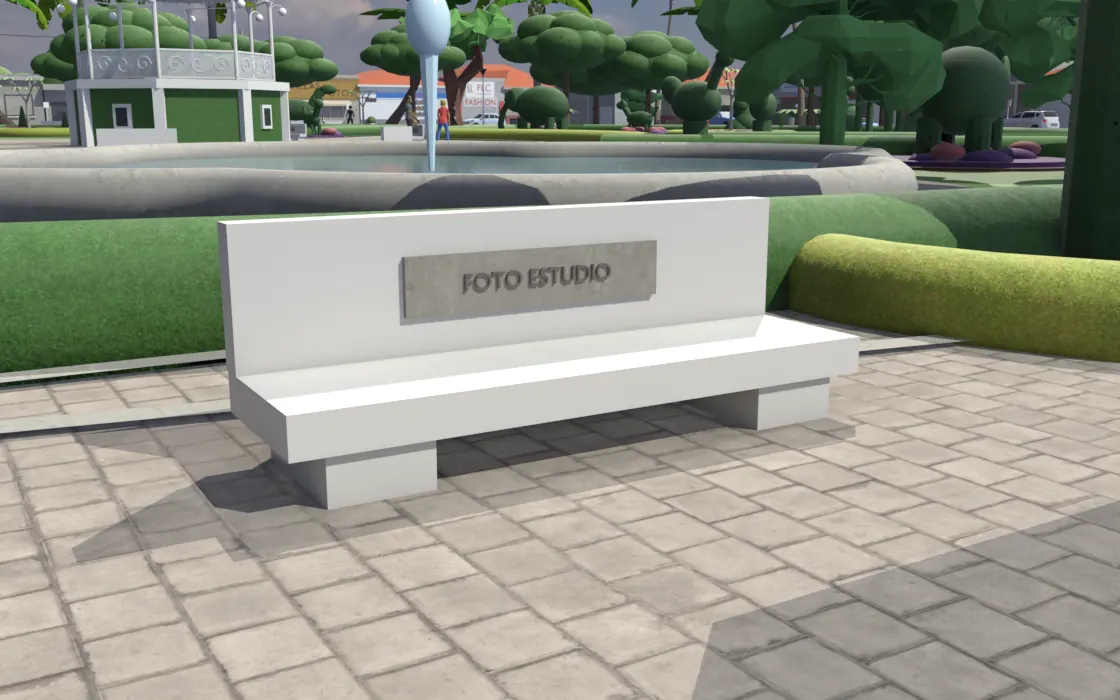
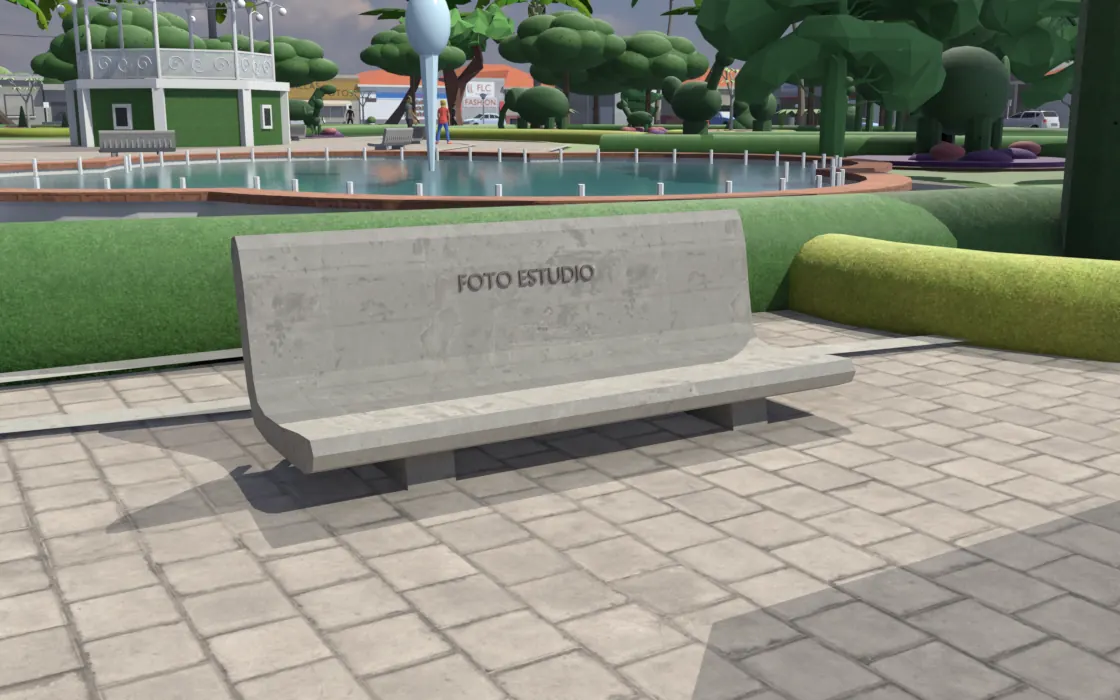
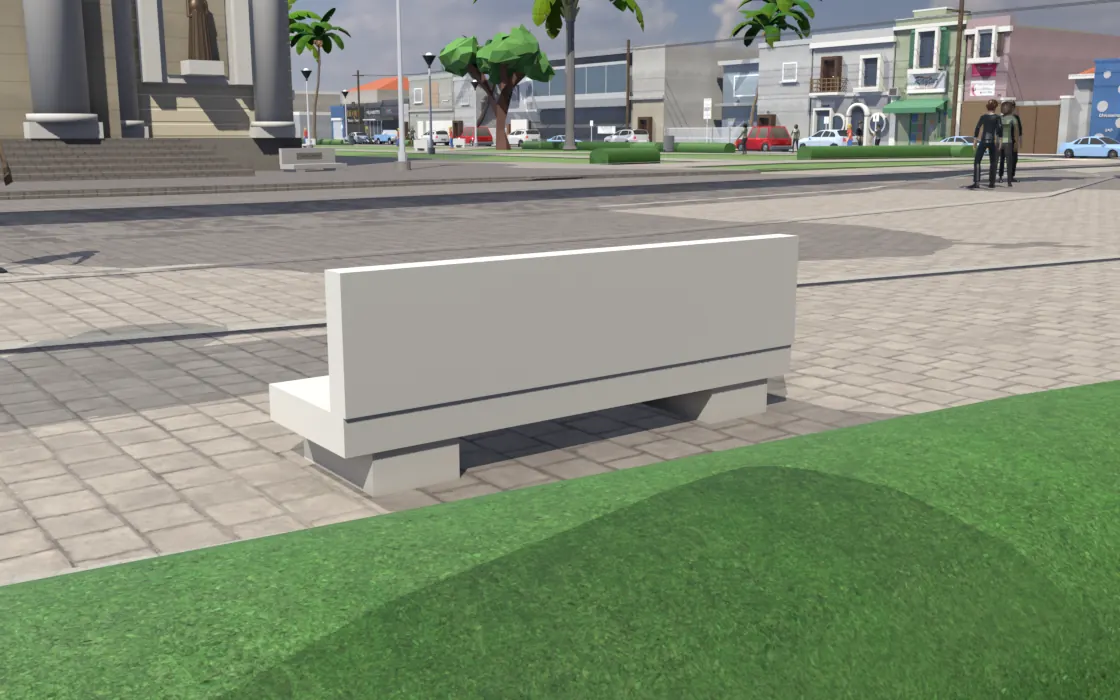
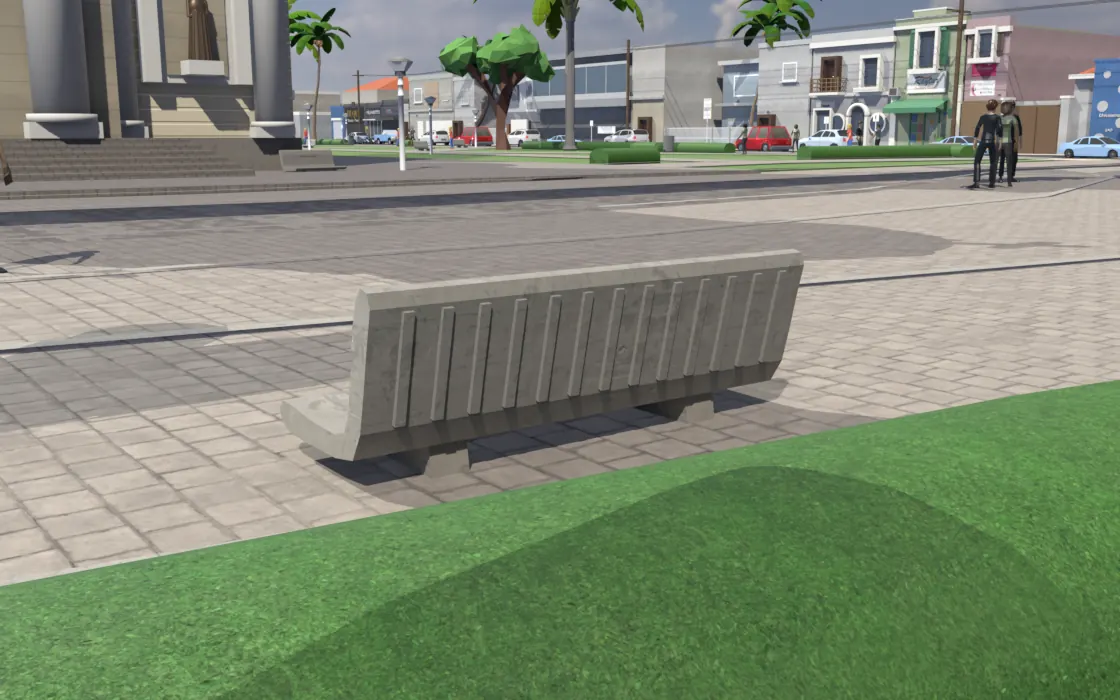
The praça's benches are one piece of granite-grit cast concrete. The shell rolls over at the front, dips into the seat and sweeps up into a reclined back, with the sponsor's name cut into it and flutes behind, on two splayed slab legs. The old generator stacked three flat slabs. The new bench is one measured cross-section pulled to 1.8 m.
Before and after
Evidence
Two photos Daniel supplied, from the front and from behind.
Still open: the sponsor names are placeholders. Street View shows real ones, some in a red-bordered panel.
6 · The twin-lantern lamp
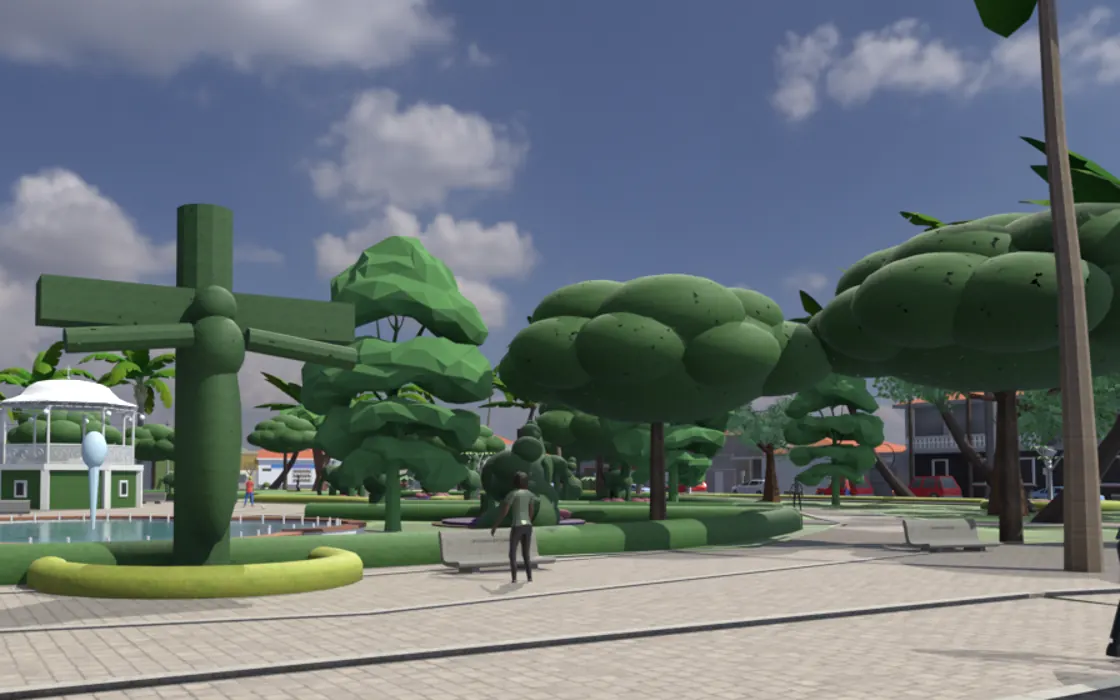
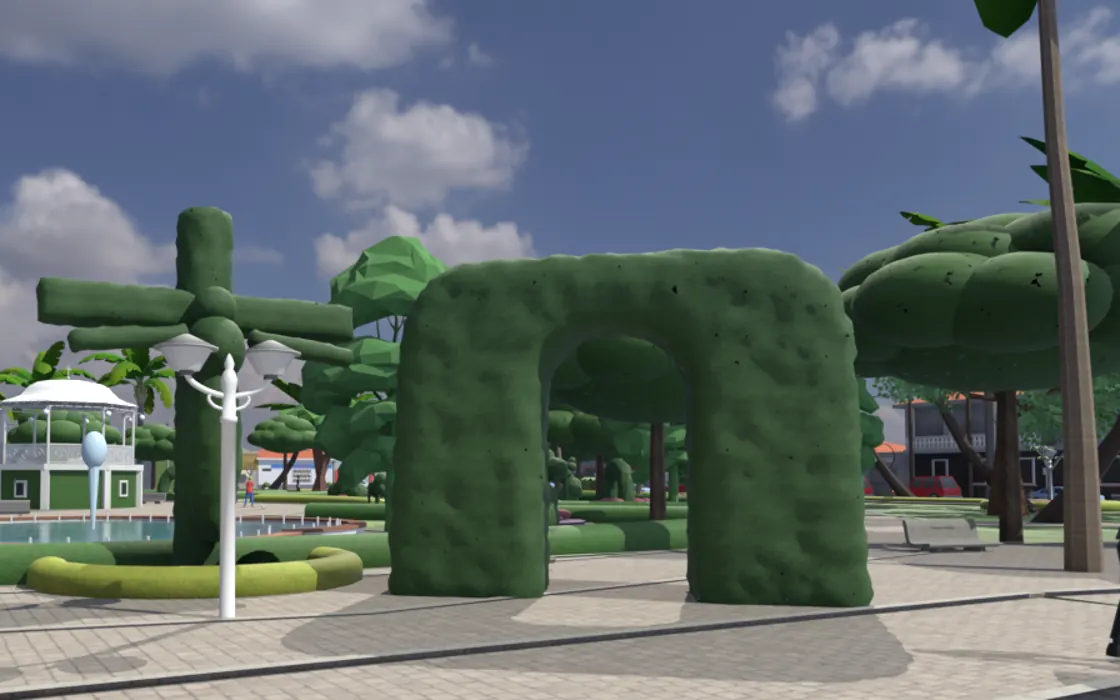
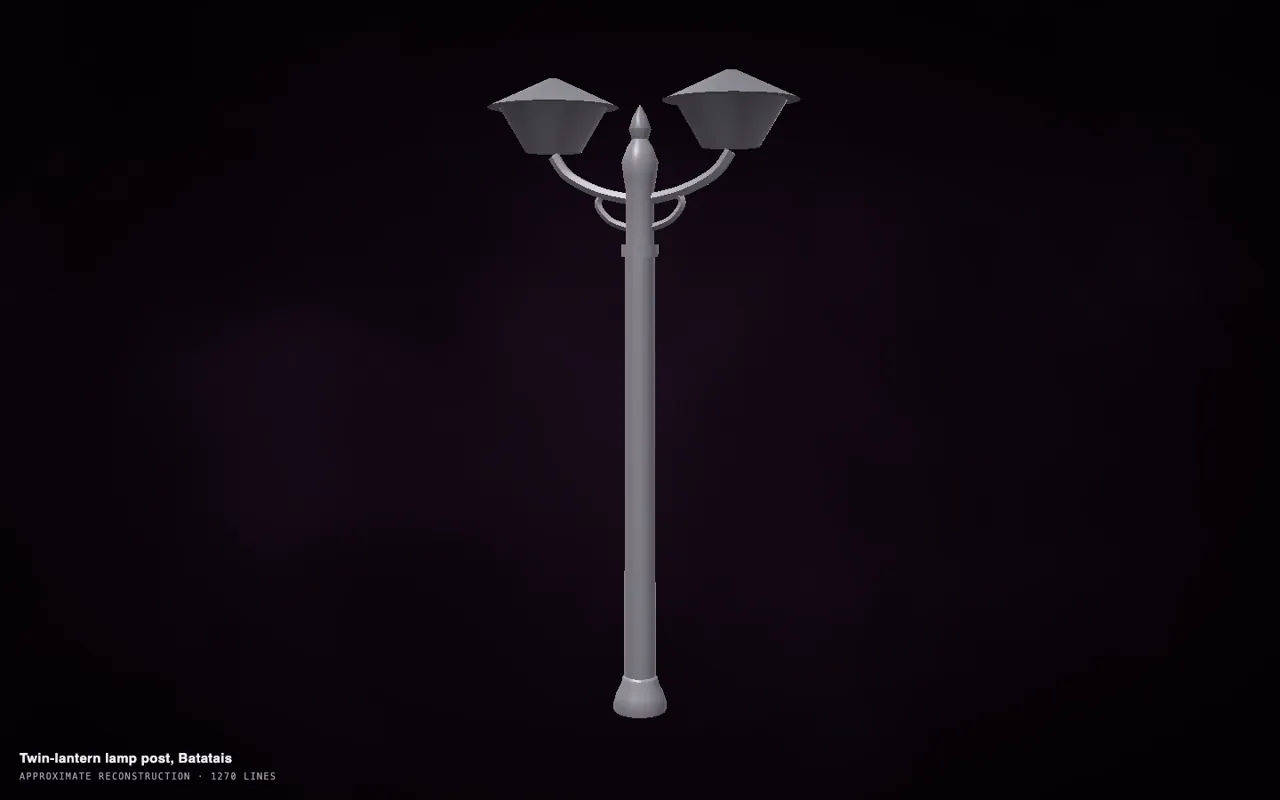
Beside the crucifix topiary stands a second lamp design: the same white post and bell foot as the garden lamps, with a turned urn finial on top and two scrolled arms, each carrying a round frosted lantern under a dark cap. The model had no lamp there at all.
Before and after
Evidence
Google Street View from Rua Monsenhor Alves, zoomed in toward the pond. The lanterns are scaled against the single lamp's.
Still open: this is the only one seen, and the scroll pattern is drawn from a distant view.
7 · The topiaries
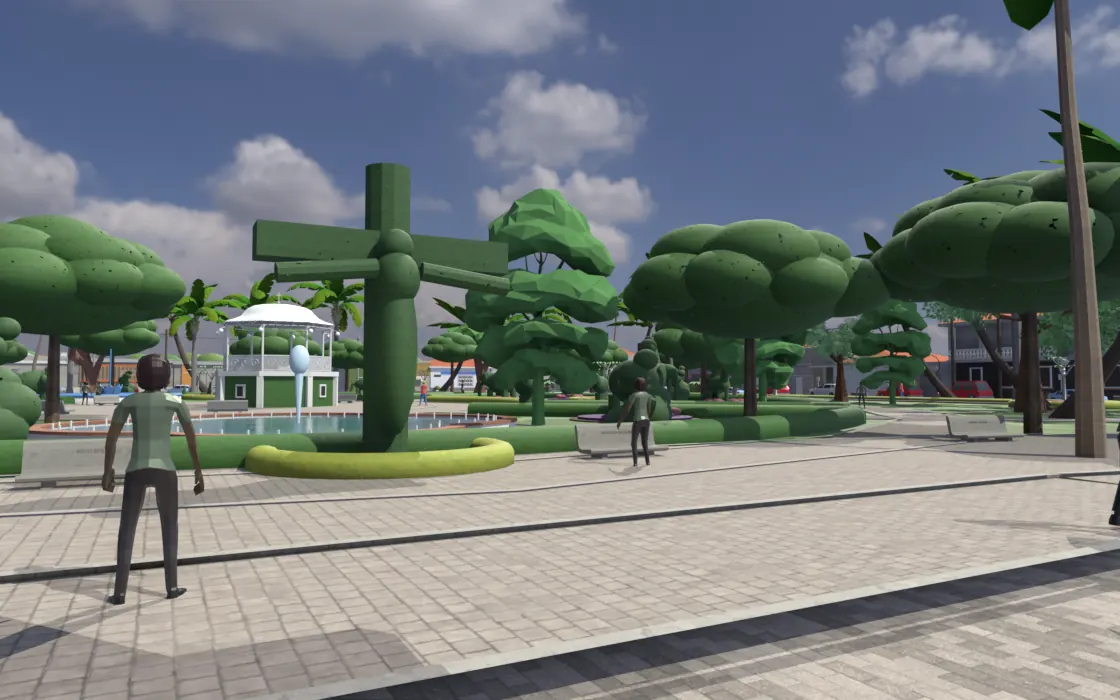
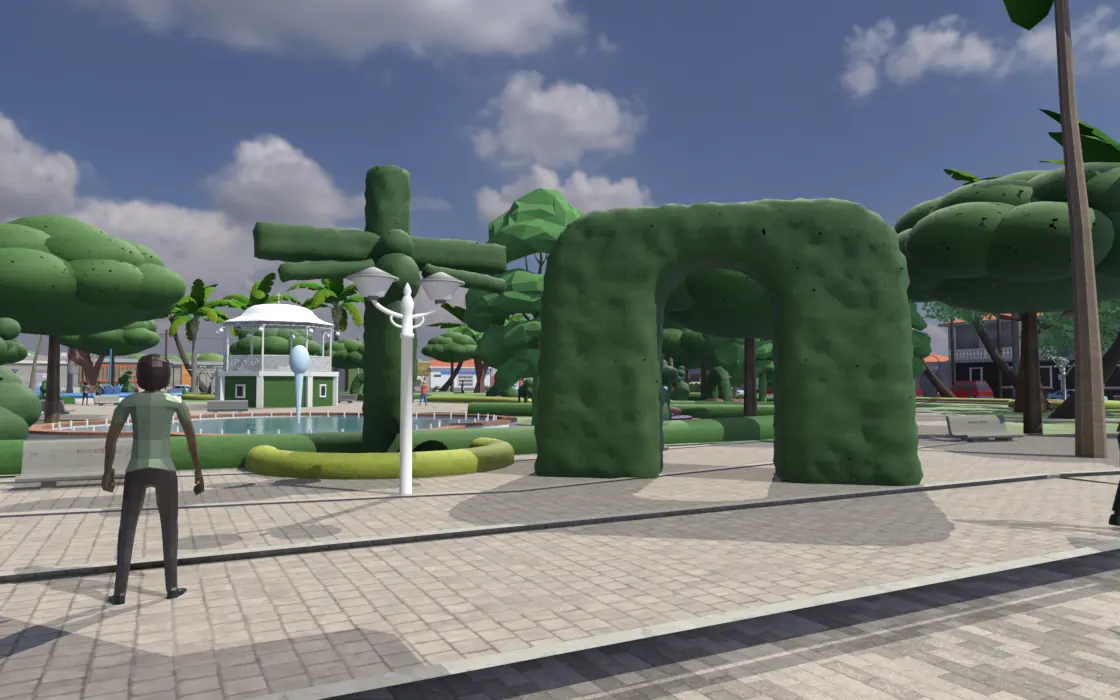
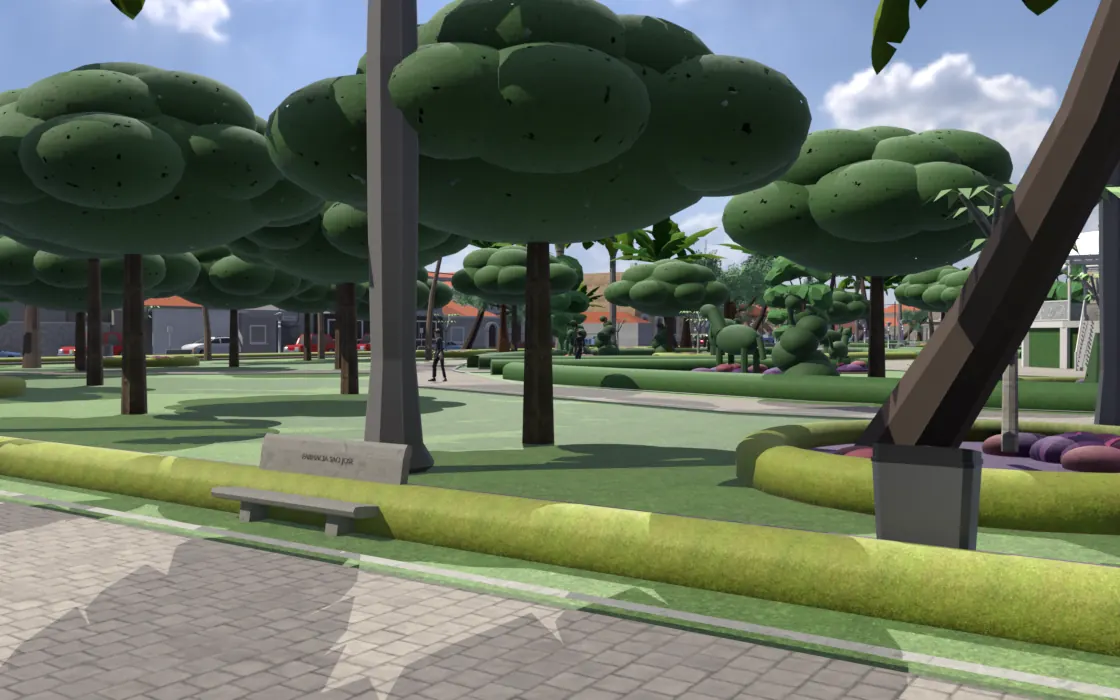
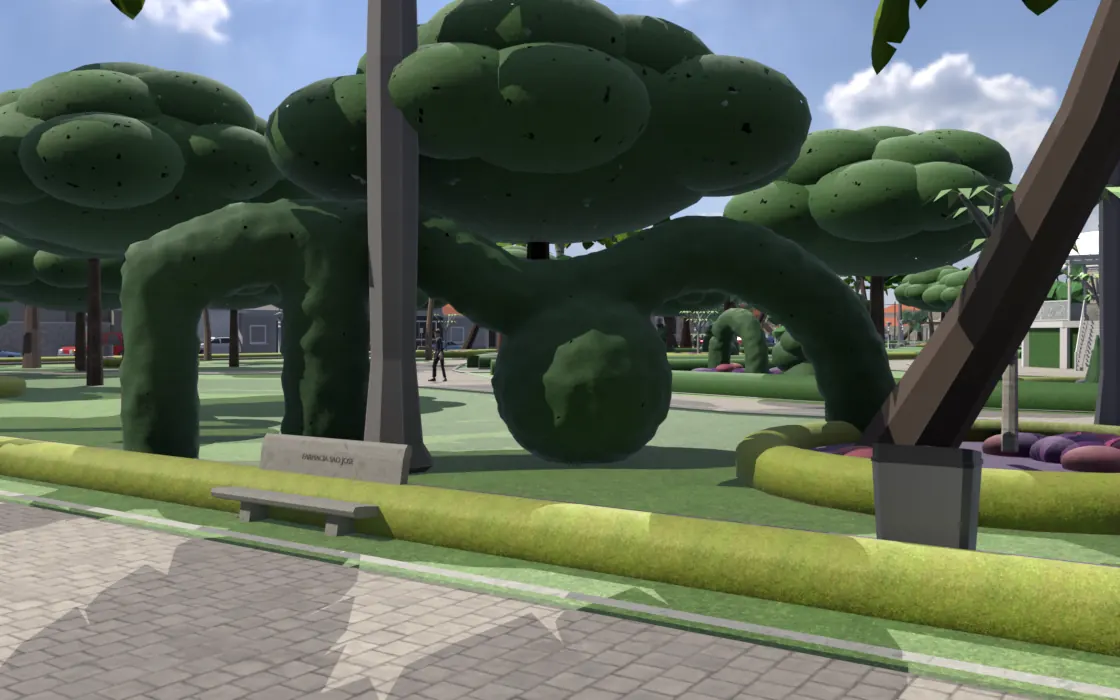
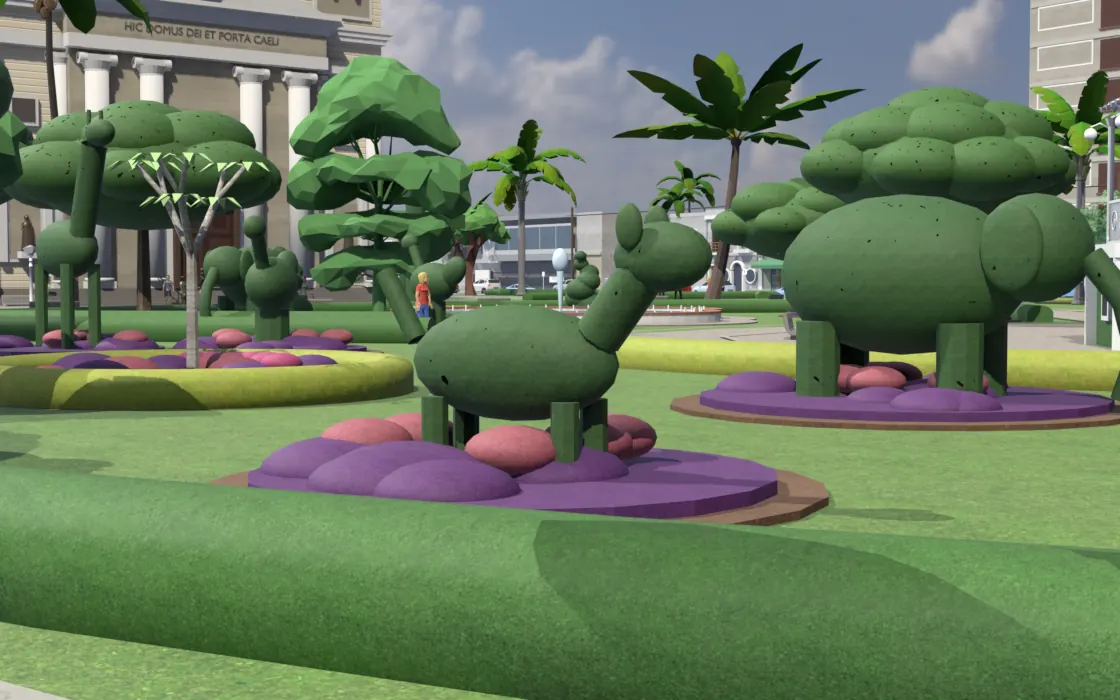
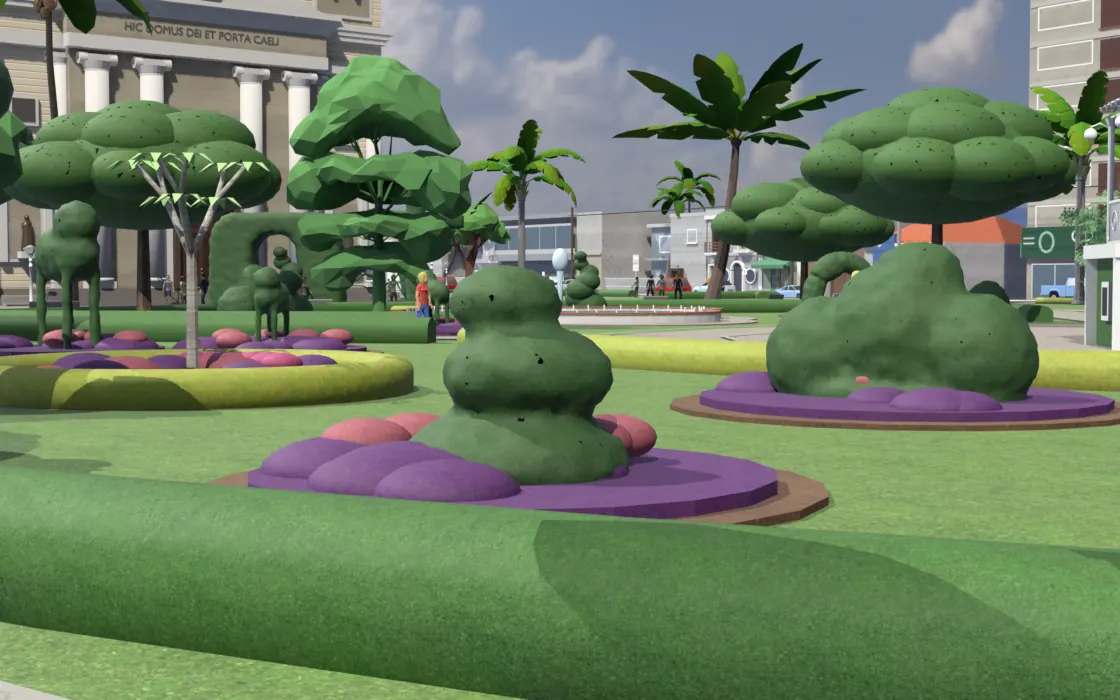
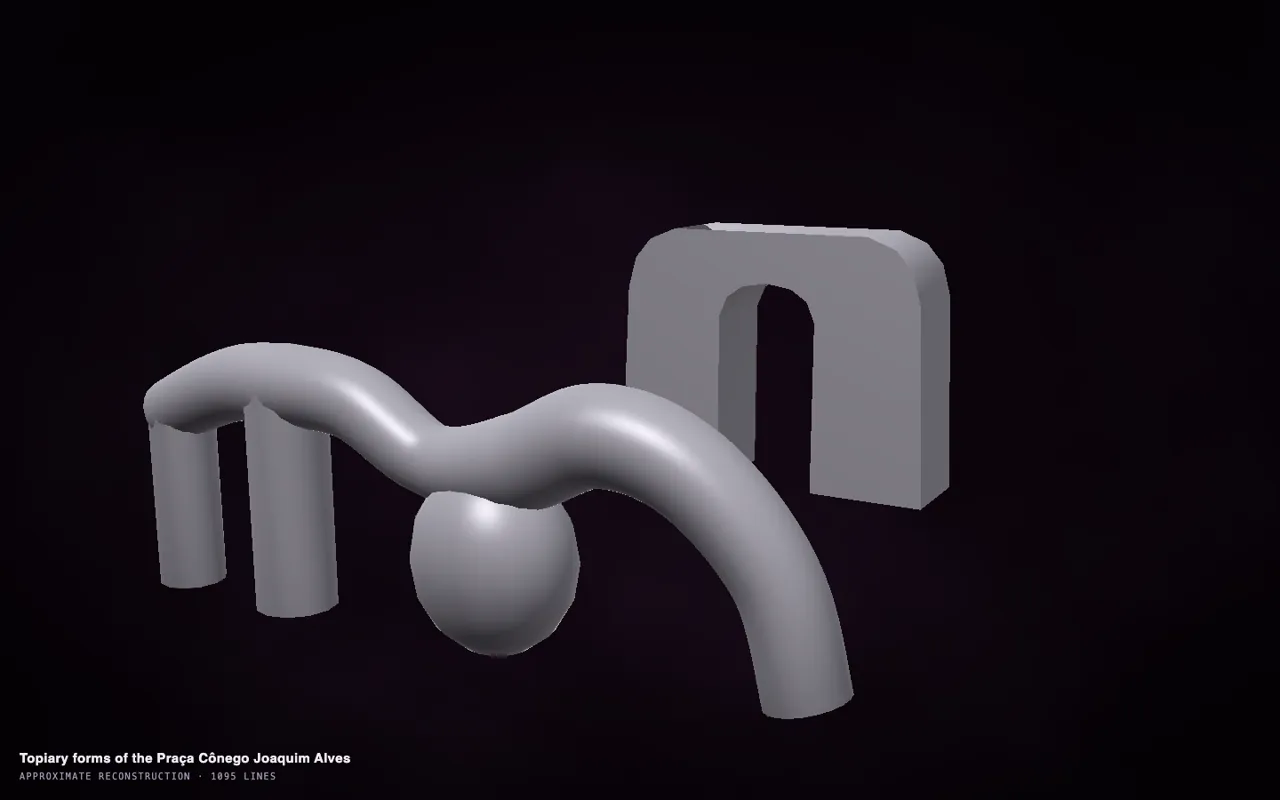
The garden is famous for its topiaries, and the model had made them into a zoo of elephants, horses, dogs, birds and giraffes. Most of the real ones are abstract, not figures, so they are no longer named that way. Two large sculptures surveyed from the streets were added where they stand: a gateway arch over the path from Rua Monsenhor Alves, and a serpentine form at the east end, a span on two columns running into a neck, a hump and an arch that bends to the ground. The smaller forms around the coreto ring became soft abstract kinds: a cloud, a hoop, stacked cushions, a wave and a mass on stilts. Each form is one fused mesh with a leafy, clumped surface, so it reads as a clipped plant rather than as geometry.
Before and after
Evidence
Google has no imagery inside the garden, so the forms were read by zooming into the panoramas from Rua Monsenhor Alves and Rua Dr. Alberto Gáspar Gomes, together with a 2009 photo taken inside the garden. Zooming in with the Street View control, rather than widening the view, removes the lens distortion: that is how the arch turned out to be symmetric. Positions come from the bearings and are good to a couple of metres.
Still open: the forms in the ring of purple beds are not individually surveyed.
Why a specialised tool
Construct is an open-source (Apache-2.0) tool for AI agents. It turns what is known about a thing into one checked description: named parts at their real sizes, each saying where it came from and how sure that is. The agent researches and writes the description; the tool checks and renders it. For a single object with references, that is the discipline a whole-town generator lacks.
Adopting it without copying it
An agent plugin is text that enters your agent's context and code that runs on your machine. Before using it:
- Read every prompt. The 24 files the plugin loads into the agent were read line by line for prompt injection: instructions to ignore the user, hide actions, read secrets or contact services. There were none. The real caveat: with no mode named it picks a run of up to two hours for named subjects, so ask for
fast. - Read the code. Standard-library Python only; the network is used only for a model endpoint you name yourself; a local headless browser for review stills.
- Pin it. The repository was 11 days old with daily pushes, so it runs from a clone pinned to the audited commit, outside the project. An update only needs its diff reviewed.
- Use it, don't copy it. None of its files went into the Blender project. The town is still generated by its own scripts; the tool only helps settle the numbers those scripts use.
Try it on an object of your own
Construct has no marketplace: you clone the repository and build the plugin locally. Read what it will load before you use it, and pin the commit you read.
git clone https://github.com/rtmandreyev/construct.git ~/.local/share/construct
cd ~/.local/share/construct && git checkout fd60dec
python3 construct_hologram/package.py --out dist --host claude-code
claude --plugin-dir ~/.local/share/construct/dist/claude-code/construct
fd60dec is the commit vetted for this project; any other commit needs its own read. Then ask your agent for a fast construct of your object and give it the photos you have.
To rebuild the whole Batatais scene, use the Batatais plugin.