Building a Procedural City in Blender with AI:
The Fable Reconstruction
How a historic basilica, two sprawling public plazas, and four street frontages were rebuilt entirely from Python code—and a universal recipe to reproduce it on any LLM agent CLI.
The Flight: From the Garden to the Town Horizon
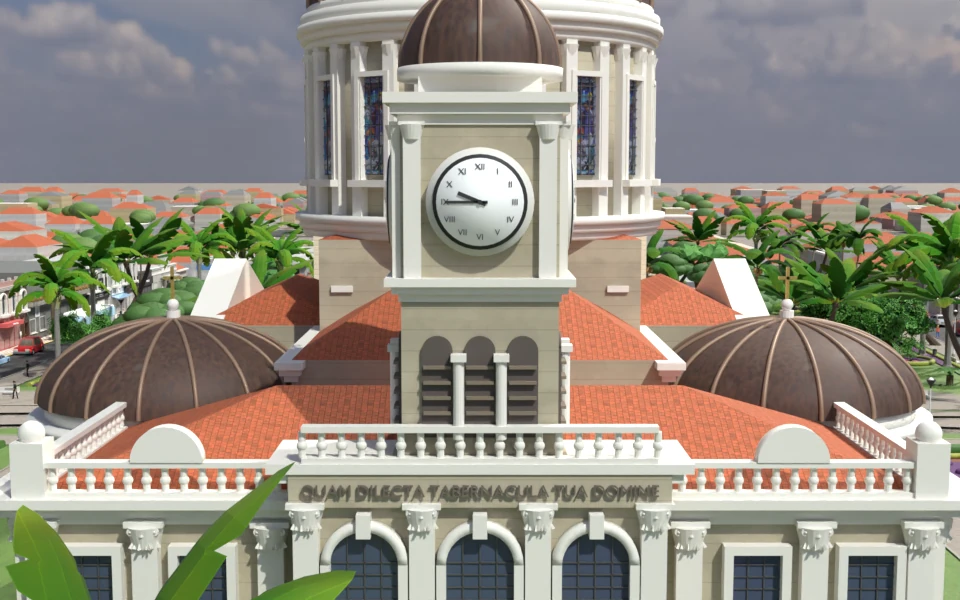
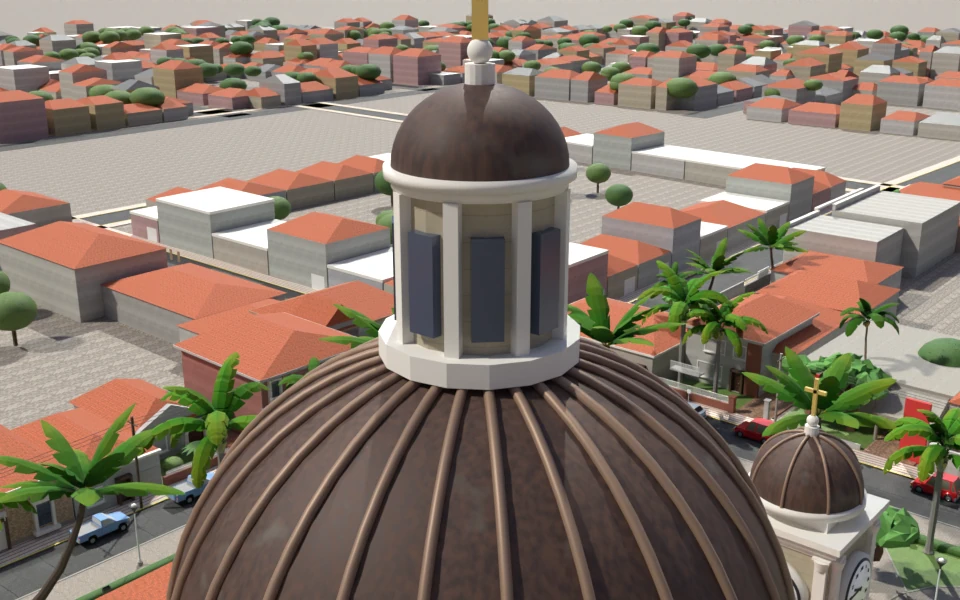
A continuous 55-second flight through the same scripted scene, rendered in Cycles. The camera comes in high over the garden block, drops beside the coreto, passes low over the pond toward the facade, climbs past the belfries, makes a wide circle around the dome, crosses the clock tower and pulls away until the whole generated town fabric is in view.
55 seconds · 1080p · 24 fps · Silent · Cycles, 32 samples with denoising · Download MP4 (70 MB)
The route is a list of eleven (time, camera, target, lens) keys in tools/video_shots.py, rendered by tools/render_video.py in a headless Blender; each 1080p frame takes about 10 s on an M4 Pro. No Astra asset, script or image was used—only Fable's own scene and the public plugin's general rendering guidance.
Visual Showcase
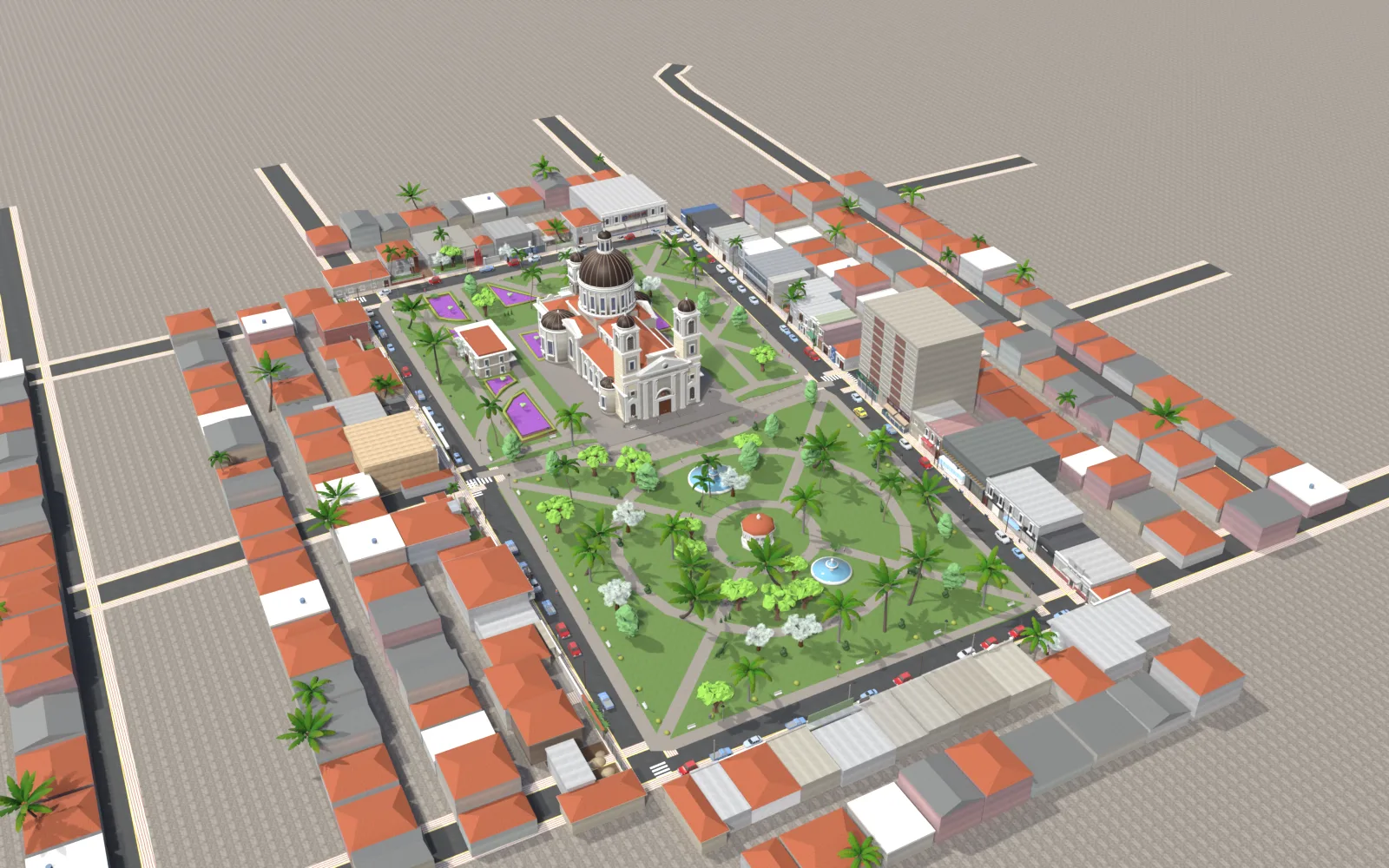
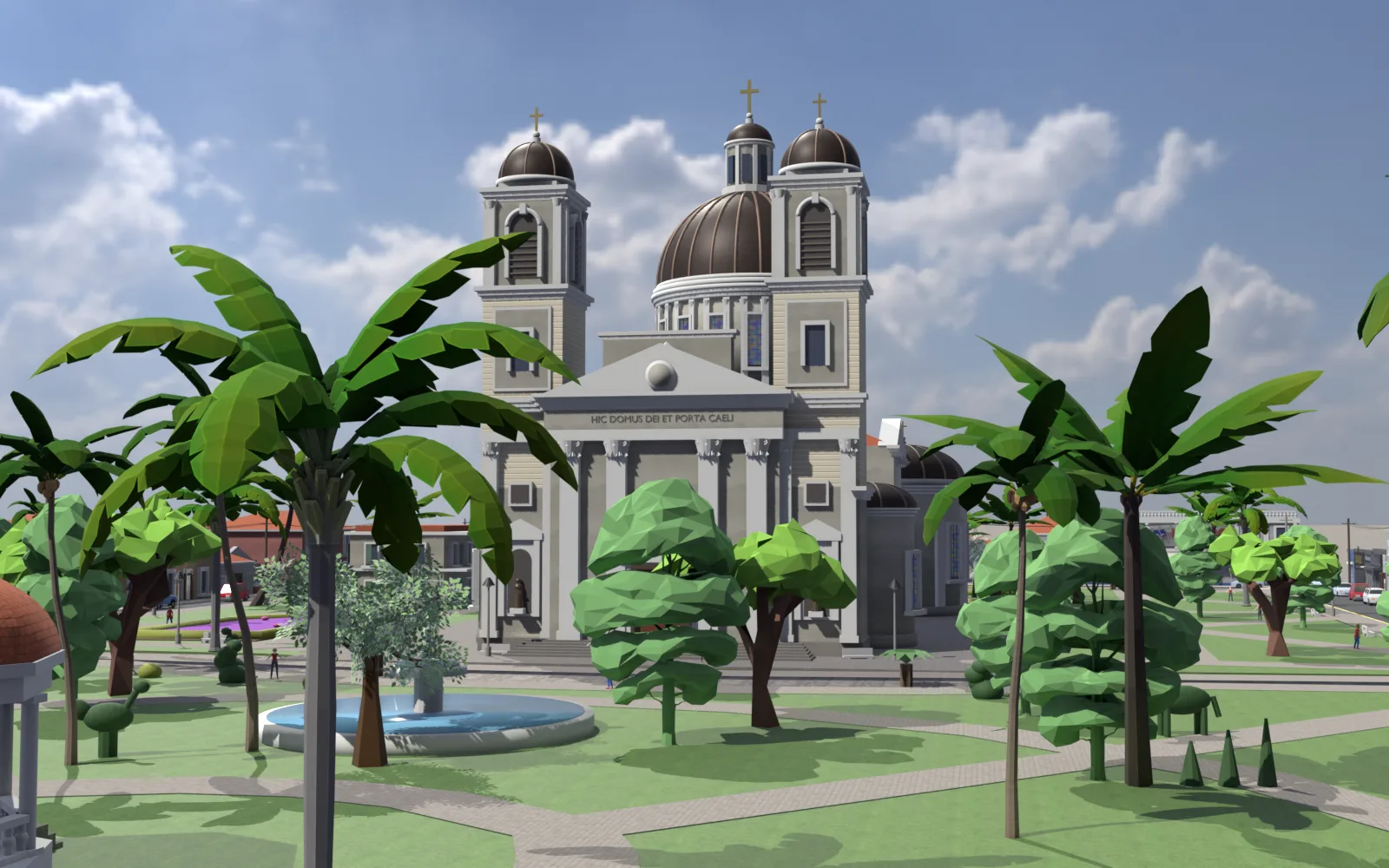
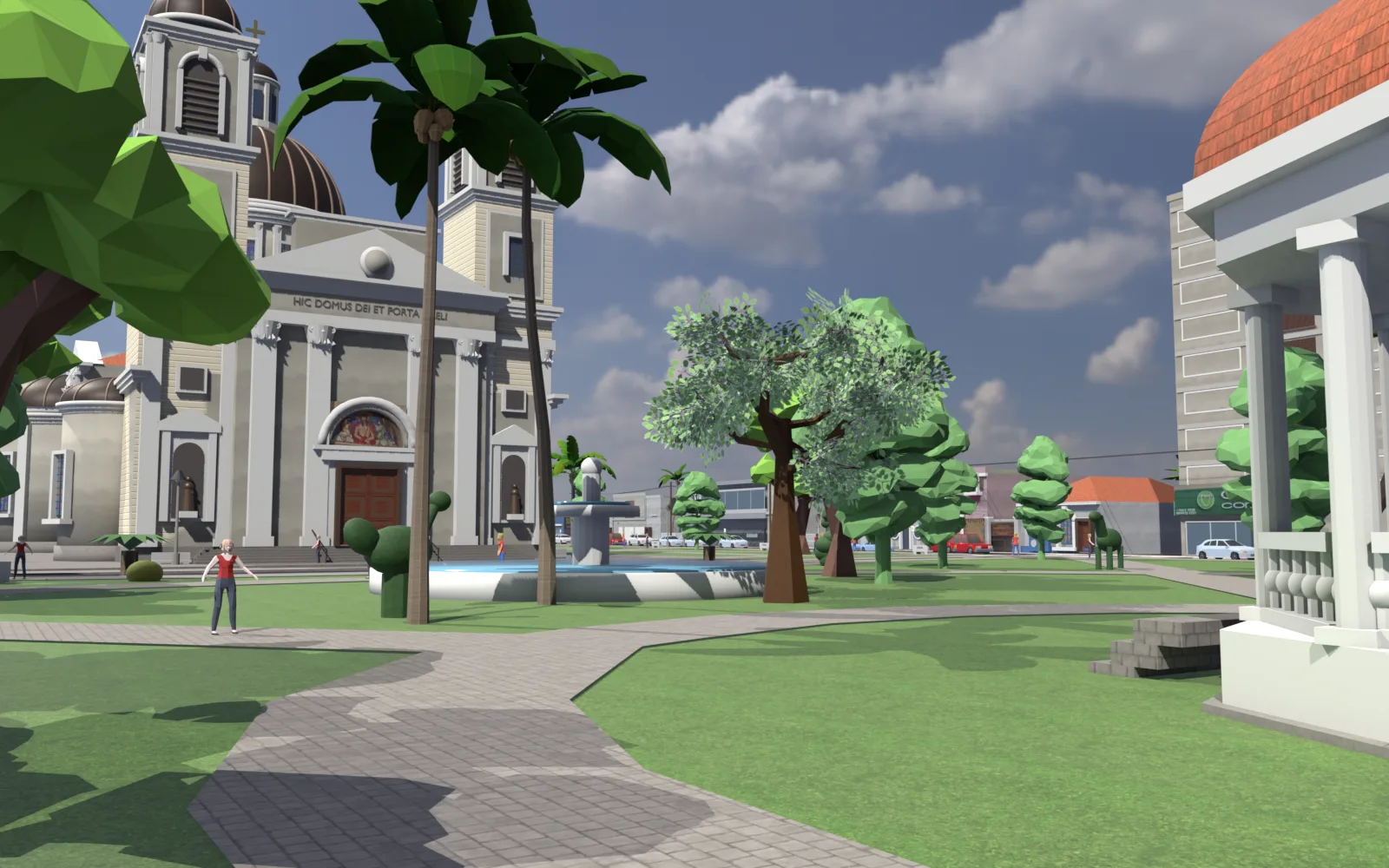
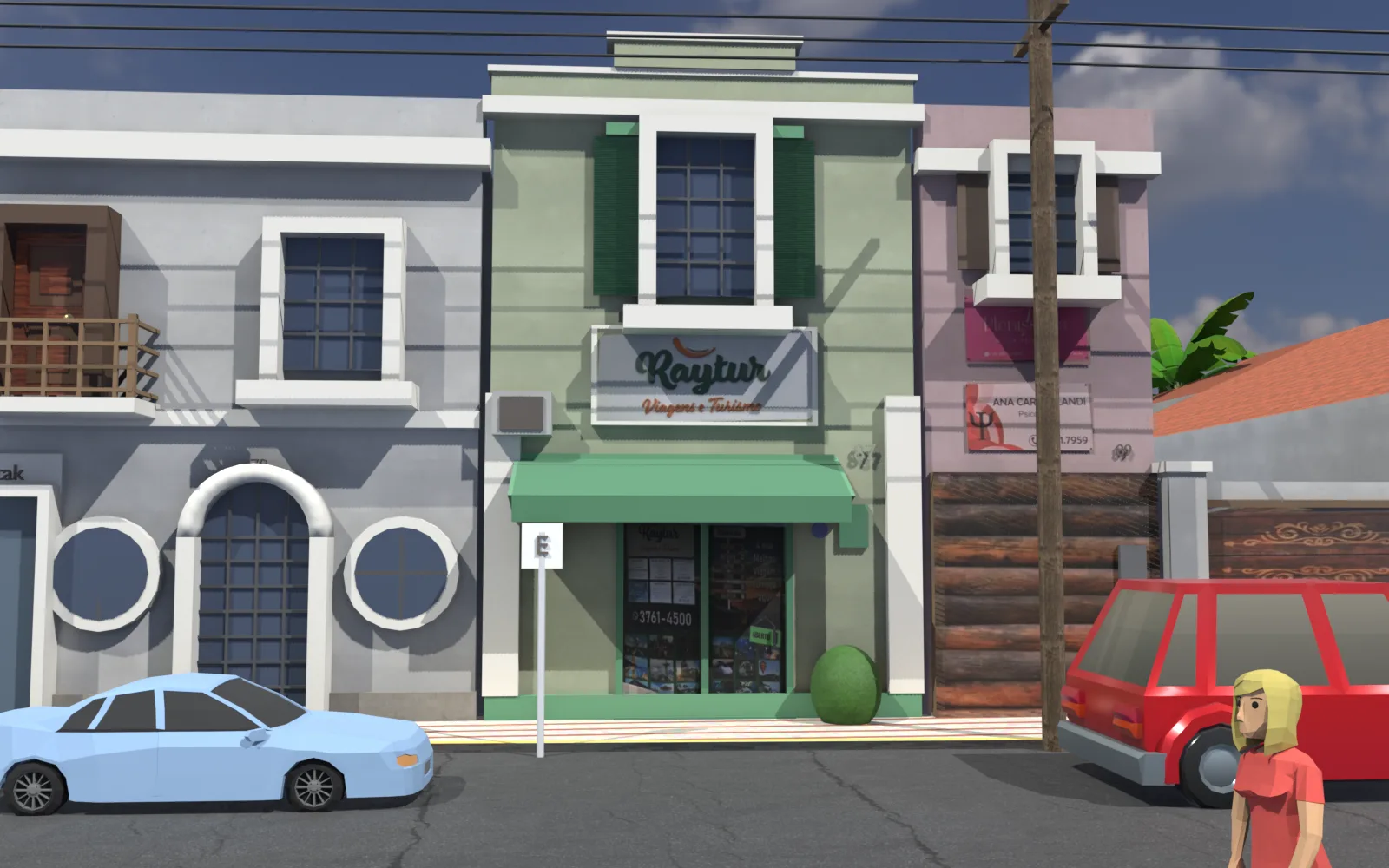
Every tree, bench, Ionic capital, and storefront in these renders was generated purely by Python scripts:
Details Worth a Closer Look
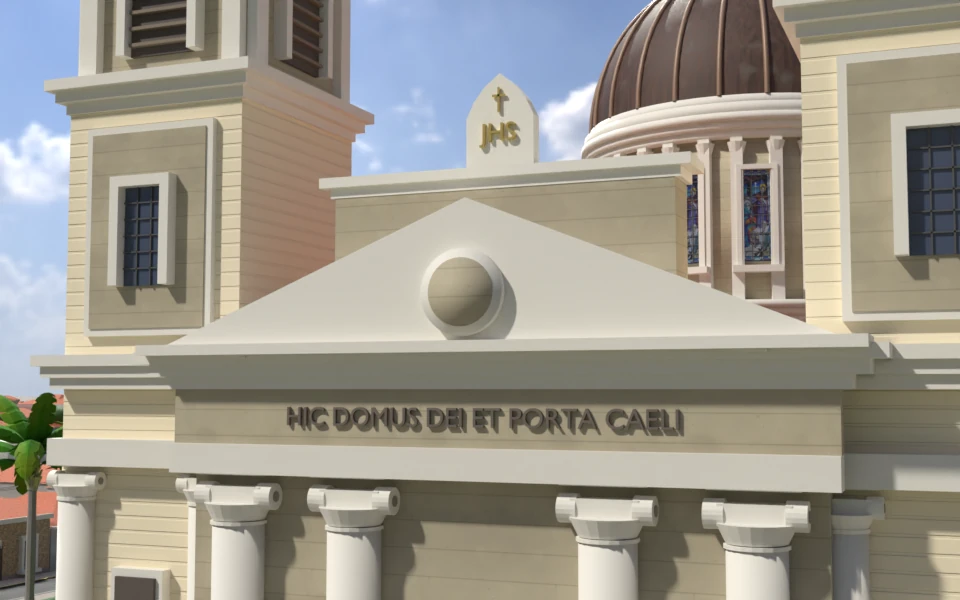
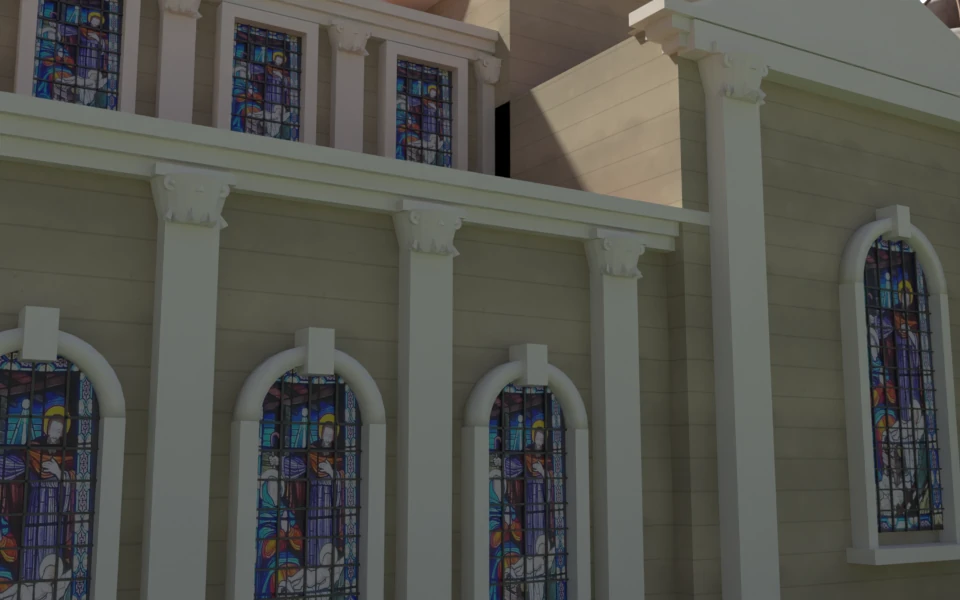
The four images above are the raw EEVEE previews the model was built and checked with—they stay here on purpose. The eight below are the same scene, with no change to the geometry, rendered in Cycles at 128 samples to show what the scripts carry once the camera gets close.
distant_town().
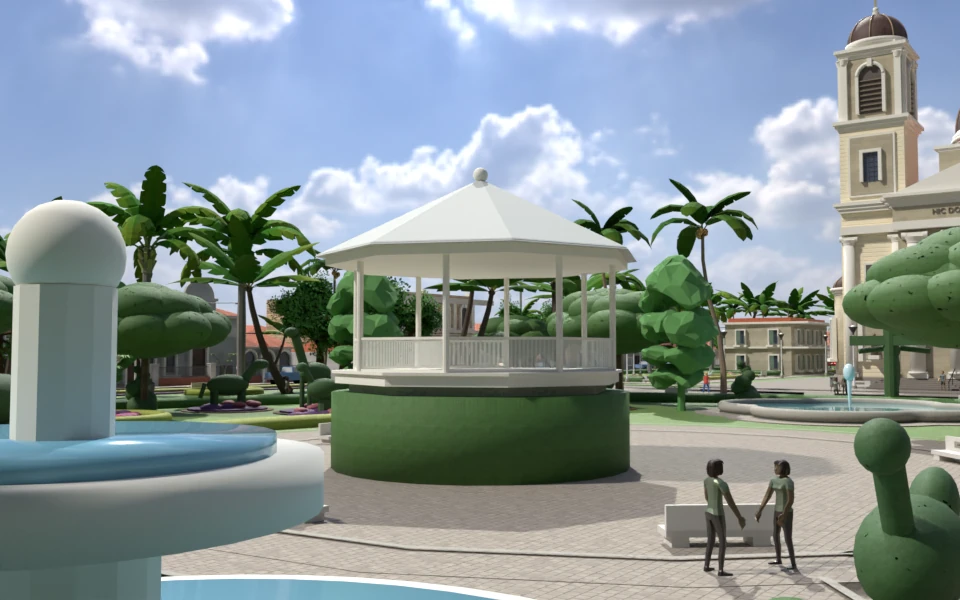
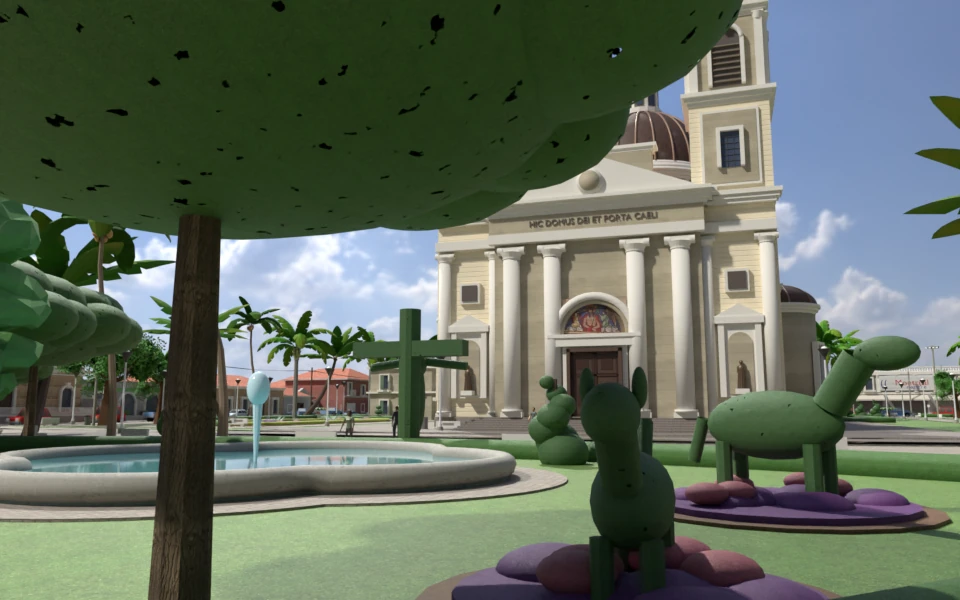
tube_curve), translucent water plane, vertical spray and the crucifix topiary, all on the church's central axis.
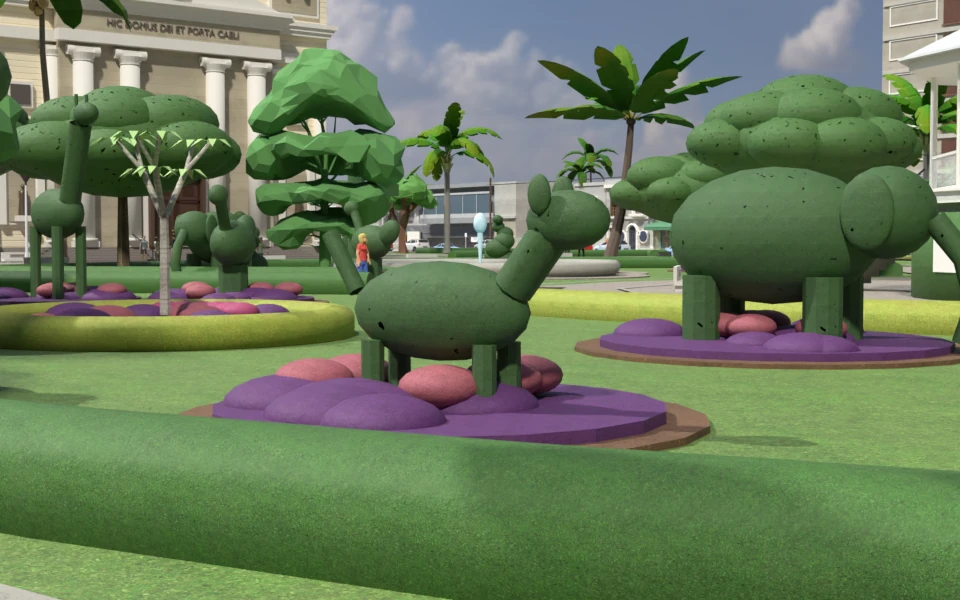
bmesh primitives on a purple floral bed around the pond, as in the plaza photographs.
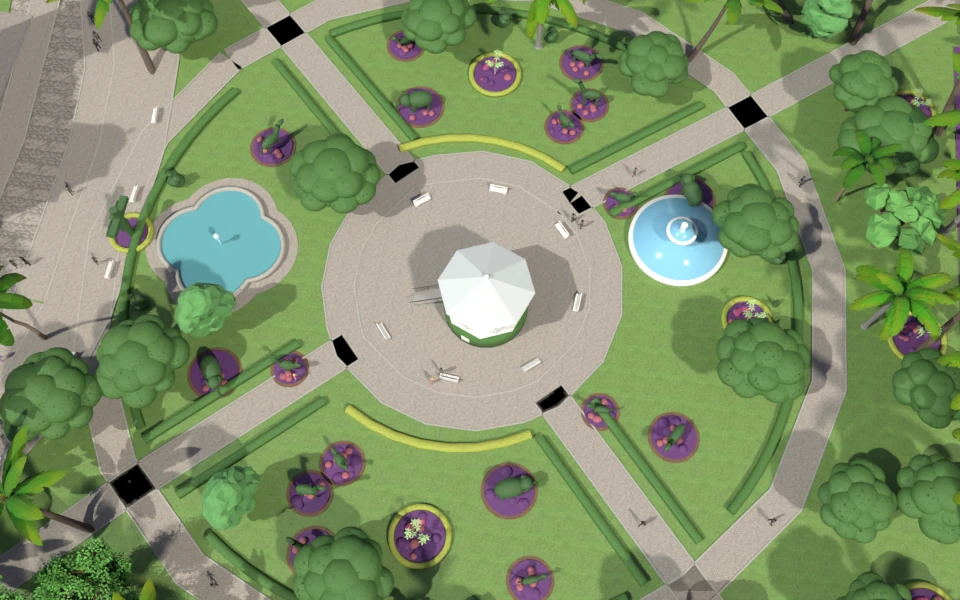
Cameras in tools/render_stills.py; each image is a single Cycles frame at 1920 × 1200, converted to WebP. The car, palm and pedestrian models are Poly Pizza instances, credited in the viewer.
The Core Rule: The Scripts Are the Model
Nothing in the scene was sculpted or moved by hand in the Blender viewport. Every single object is produced by four Python scripts that regenerate the entire scene from scratch in under 30 seconds:
| Script | Components Generated | Rebuild Time |
|---|---|---|
build_helpers.py |
Bmesh primitives, procedural PBR materials, architectural placement math | — |
build_model.py |
Church Latin-cross basilica, crossing dome, twin belfries, clock tower | ~10 s |
build_site.py |
OSM streets, sidewalks, curbs, both praças, topiary parterres, furniture | ~15 s |
build_lots.py |
Unified Frame lot DSL, 29 surveyed street frontages, 680m distant town |
~5 s |
The Core Rule: Edit the script, re-run, render, inspect, repeat. Never fix geometry by hand in the viewport; the next rebuild would discard it.
Phase 1: Setup — Blender MCP & The Asset Library
The workflow began by connecting the LLM agent to Blender via the Model Context Protocol using blender-mcp.
1. The Headless vs. GUI Socket Reality
Blender's Python API requires an active GUI session to bind the MCP WebSocket server (127.0.0.1:9876). Headless Blender instances (blender -b) refuse to start the socket. The pipeline runs against an active GUI session on macOS, allowing the agent to issue Python commands and capture render output in real time.
The first test prompt was simple: "Test if Blender MCP is working by creating a snowman." Within seconds, 28 primitive spheres, eyes, and buttons were assembled and verified via viewport capture.
2. The Performance Wall: bpy.ops vs bmesh
When the site expanded past 4,000 objects, rebuild times suddenly spiked from 15 seconds to over 20 minutes, repeatedly hitting the 120s MCP timeout limit.
Why: bpy.ops.mesh.primitive_* triggers full scene graph dependency evaluations and undo history pushes per call. In a 7,000-object scene, each primitive took ~100 ms.
The solution was migrating all primitives to low-level bmesh operators in build_helpers.py:
# FAST (~6 seconds for 7,300 objects):
bm = bmesh.new()
bmesh.ops.create_cube(bm, size=1.0)
for v in bm.verts:
    v.co.x = v.co.x * sx + cx
    v.co.y = v.co.y * sy + cy
    v.co.z = v.co.z * sz + cz
me = bpy.data.meshes.new(name)
bm.to_mesh(me)
bm.free()
ob = bpy.data.objects.new(name, me)
collection.objects.link(ob)
Combined with bpy.data.batch_remove(list) (clearing 10,000 objects in 0.2s instead of 100s), full church + site rebuilds dropped to under 10 seconds.
3. Asset Strategy & Poly Pizza Integration
To populate the streets without bogging down procedural code, low-poly CC0/CC-BY 3D models from Poly Pizza (cars, palms, pedestrians, motorbikes) were imported into a subterranean collection Library parked at z = -60.0 with hide_render = True.
A helper function lib_instance() deep-copies the object hierarchy using linked mesh data: sixty parked cars in the street cost only one mesh's worth of memory and draw calls.
Phase 2: Church Creation Based on Internet Imagery
With no architectural blueprints available, the neoclassical basilica (built 1928–1953 by Júlio Latini and Carlos Zamboni) was reconstructed through photo survey and visual triangulation:
- Latin-Cross Massing: 16 m wide nave, twin side aisles flush against the tower bases, transepts, and rear chancel.
- Main Central Dome: 16-sided drum on pendentives with 16 paired pilasters and leaded windows, hemisphere dome crowned with 24 copper ribs, lantern, and copper cupola.
- Twin Bell Towers: Rusticated ashlar bases, arched niches with robed statues, louvred belfry arches, and copper cupolas with finial crosses reaching 36 m height.
- Neoclassical Facade: Paired engaged round columns with Ionic scrolls, triangular pediment with central medallion, skyline
JHScartouche, and 3D Latin inscription:HIC DOMUS DEI ET PORTA CAELI. - Stained Glass Unit-Box Projection: Textures from Conrado Sorgenicht Filho's windows were projected without manual UV unwrapping by normalizing every pane to a
(1, 1, 1)unit bounding box in object space. - 9:45 Sanctuary Clock Tower: Four illuminated glass dials with Roman numerals and hands frozen at 9:45 AM, harmonizing with the 45° morning sun angle of the physical sky lighting model.
Phase 3: Creation of the Garden Plaza (Praça das Topiárias)
Batatais is renowned for its living topiary heritage. The surroundings were anchored in real geospatial coordinates:
- OpenStreetMap Ingestion:
tools/site_from_osm.pyqueried the Overpass API for exact street lines, sidewalk cuts, and garden bed boundaries, converting WGS84 lat/lon to model meters. - The 1940s Coreto (Bandstand): Rebuilt parametrically from vintage postcards—octagonal hedge-clad podium, wrought-iron lattice railings, straight access stair, and authentic pale pyramid canopy roof.
- Sculpted Topiary Parterres: Diagonal walking lanes flanked by cloud-profile box hedges, animal topiaries (elephant, giraffe, horse, dog, bird) on purple floral beds, and royal palm avenues.
- The Quatrefoil Pond (Fonte Luminosa): Placed along the church's central axis, featuring a curving concrete rim (
tube_curve), translucent water plane, and vertical spray plume, fronted by the sculpted crucifix topiary.
Phase 4: Surrounding Street Frontages & Urban Fabric
To ground the church in its true town setting, 29 Google Street View survey stations were mapped around the four bordering streets:
- The
FrameLot DSL: Automatically compensates for the 3° off-axis street skew so signs and windows never sink into walls, and mirrors coordinates for South and West frontages. - Commercial Landmarks: Measured custom reconstructions of local businesses including Raytur Turismo (detailed sign lettering, corner bevels, display windows), Batatais FC headquarters, bank branches, and clinics.
- Distant Town Horizon (
distant_town()): Generates low-poly residential block clusters with terracotta hip roofs and backyard tree masses out to a 680-meter radius, preventing the horizon from falling into an empty void.
Phase 5: Polish, Anti-Flicker & Clean-Room Optimization
1. The War on Z-Fighting & Flickering Surfaces
Real-time walking passes revealed severe surface flickering in certain areas:
- The Phantom Apron (
Pavement.001): A rogue 46 × 76 m mesh in the root collection—left over from an early manual test—was byte-identical to the proceduralChurchApronand z-fought it across the forecourt. It was purged and banned. - Wall Penetrations: Aisle side walls were trimmed flush against the bell tower foundations.
- Planar Offsets: Signboards and garage panels were given explicit
+0.015 moffsets proud of walls.
2. Clean-Room Texture Swap: Removing Proprietary Pixels
Initial prototypes used photographic crops from Google Street View. While acceptable for private experiments, shipping a public 3D asset embedded with Google's panorama pixels posed severe copyright and trademark liabilities.
The Solution: Developed tools/make_signs.py, an algorithmic Python script using Pillow to draw all 32 storefront signs cleanly from scratch (exact typography, vectors, corporate palettes) with zero Google pixels remaining. Window displays were converted into procedural 3D geometry.
3. Web & Game Engine Exporter (tools/export_game.py)
A 10,500-object scene creates 10,500 draw calls, which chokes mobile web browsers. The headless export script solves this:
10,500 raw Blender objects → Regrouped by (material, spatial_tile) into 1,744 single-material meshes → Synthesized Box UVs → Backface culling (sheds 622,000 back faces) → Draco compression → 16 MB Web GLB.
The Universal Recipe: The 5 Golden Rules
- Strict Scripted Regeneration: Never let the AI move objects in the viewport. The entire model must exist as pure Python files with a top-level rebuild routine.
- Use
bmesh, Banbpy.opsPrimitives: Always usebmesh.ops.create_cubeor direct vertex construction.bpy.opswill freeze your session once you cross 1,000 objects. - Split Build and Render Calls: Keep individual MCP tool calls under 120 seconds. Separate scene generation from camera rendering. Check renders at 70% resolution.
- Anchor with Real Geospatial Vectors: Use OpenStreetMap / Overpass QL to define your ground polygon and building lots. Guessing curb radii and street angles always leads to crooked facades.
- Separate Authoring from Export: Author in unapplied object-space coordinates. Use a headless post-processing script (
export_game.py) to handle UV unwrapping, mesh consolidation, and Draco compression.